Fungerar SecureX SignalMax med Stonehouse Smart-appen?
SecureX SignalMax är en systemkomponent som används tillsammans med en kompatibel SecureX-hubb och ansluts inte direkt till mobilen. All hantering sker via SecureX-hubben och Stonehouse Smart-appen. Via hubben är systemet även kompatibelt med Tuya Smart och Smart Life. Vi rekommenderar Stonehouse Smart-appen. Den finns för både iPhone och Android i App Store och Google Play. Sök bara efter "Stonehouse Smart" för att ladda ner appen.
What is SecureX SignalMax?
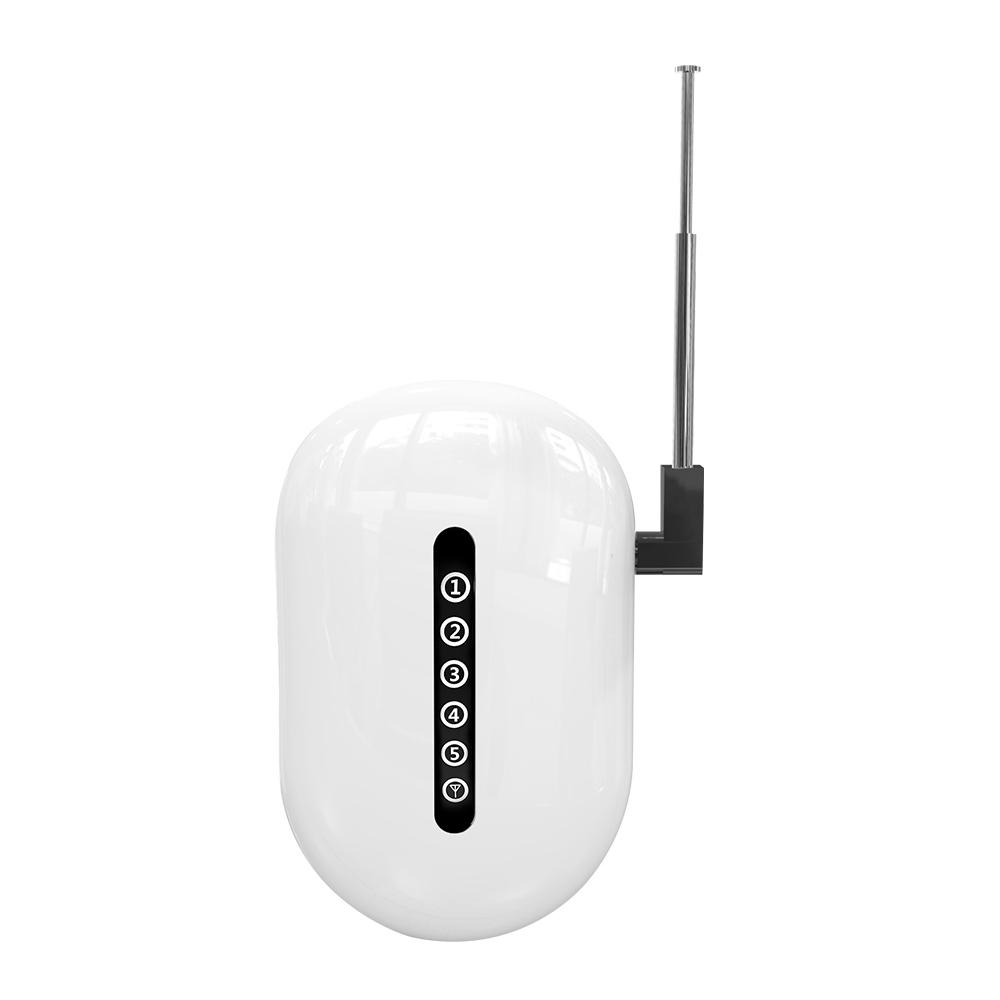
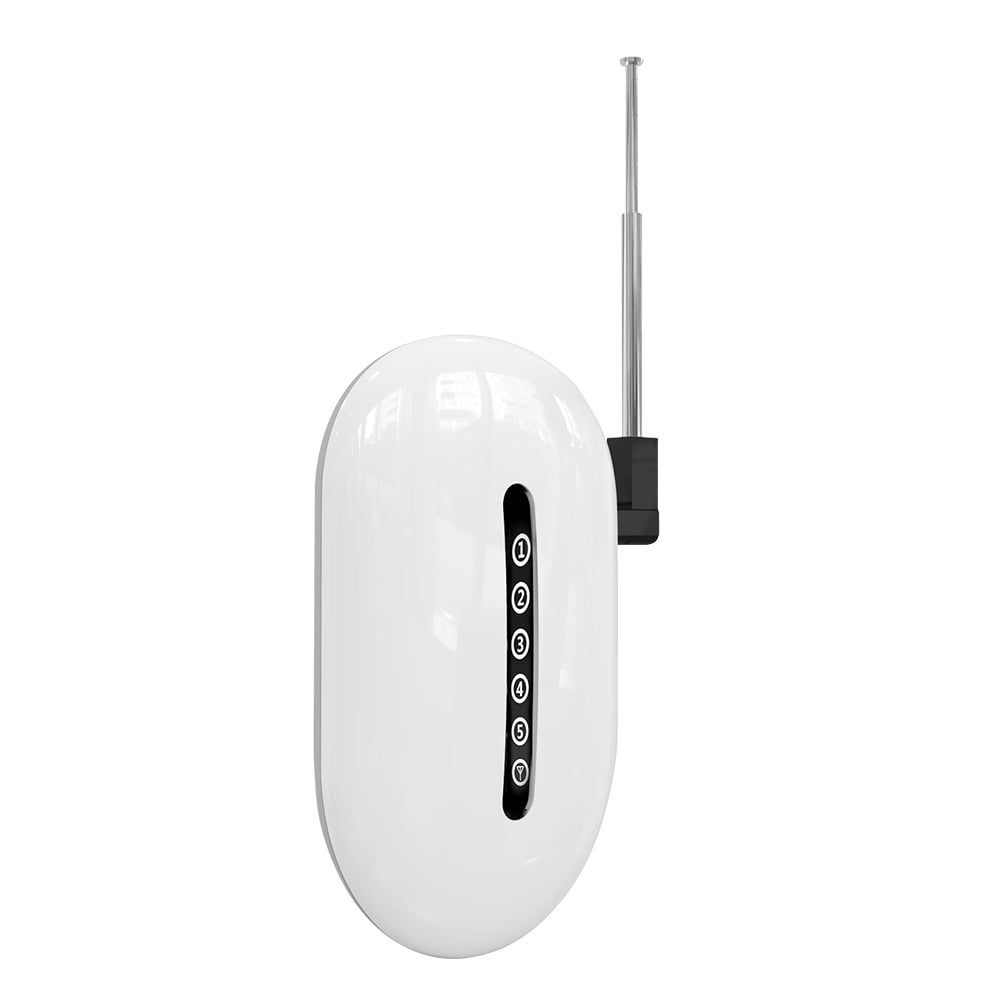
SecureX SignalMax är en trådlös signalförstärkare, även kallad repeater, för SecureX-larmsystem. Den fungerar som en brygga mellan sensorer och fjärrkontroller och SecureX-hubben för att förbättra räckvidd och stabilitet.
Vilket artikelnummer har SecureX SignalMax?
Artikelnumret är SSREPEATER-SX.
When do I need a SignalMax?
SignalMax är användbar när vissa SecureX-enheter har svag eller instabil kommunikation med hubben, exempelvis i större fastigheter, flerplanshus, lager eller byggnader med tjocka väggar.
Hur fungerar SignalMax?
SignalMax placeras mellan SecureX-hubben och de trådlösa enheter som behöver bättre täckning. Den tar emot radiosignaler från sensorer och fjärrkontroller och skickar dem vidare mot hubben.
Behöver SignalMax en SecureX-hubb?
Ja. SignalMax är en systemkomponent och kan inte användas fristående utan en kompatibel SecureX-hubb.
Fungerar SignalMax med SecureX Connect Pro?
Ja. SignalMax är utvecklad för SecureX-systemet och kan användas tillsammans med SecureX Connect Pro.
Hur lång räckvidd har SignalMax?
SignalMax har en mottagningsräckvidd på cirka 100 meter vid fri sikt och en sändningsräckvidd på upp till cirka 600 meter vid fri sikt.
Vad betyder 600 meters räckvidd?
Upp till 600 meter avser SignalMax sändningsräckvidd vid fri sikt. Det är alltså den maximala angivna räckvidden under goda förhållanden utan stora hinder mellan enheterna.
Är räckvidden alltid 600 meter inomhus?
Nej. Väggar, armerad betong, metall, byggnadskonstruktioner och andra störningar kan minska den faktiska räckvidden. Upp till 600 meter gäller vid fri sikt.
Vilken mottagningsräckvidd har SignalMax?
Mottagningsräckvidden anges till cirka 100 meter vid fri sikt.
Vilken sändningsräckvidd har SignalMax?
Sändningsräckvidden anges till upp till cirka 600 meter vid fri sikt.
Vilka radiofrekvenser använder SignalMax?
SignalMax använder 433 MHz med ASK-kommunikation och 868 MHz med FSK-kommunikation.
Kan SignalMax hantera både 433 MHz och 868 MHz?
Ja. Den tekniska specifikationen anger kommunikation på både 433 MHz ASK och 868 MHz FSK.
Hur många trådlösa detektorer kan SignalMax hantera?
SignalMax har stöd för upp till 99 trådlösa detektorer.
Hur många fjärrkontroller kan SignalMax hantera?
SignalMax har stöd för upp till 99 fjärrkontroller.
Kan SignalMax hantera både sensorer och fjärrkontroller samtidigt?
Ja. SignalMax har stöd för upp till 99 trådlösa detektorer och upp till 99 fjärrkontroller.
Hur många SignalMax kan jag använda i samma anläggning?
Endast 1 SecureX SignalMax ska användas per anläggning.
Kan jag installera två SignalMax för ännu längre räckvidd?
Nej. Produktinformationen anger att endast 1 SignalMax ska användas per SecureX-anläggning.
Har SignalMax olika zoner för enheterna?
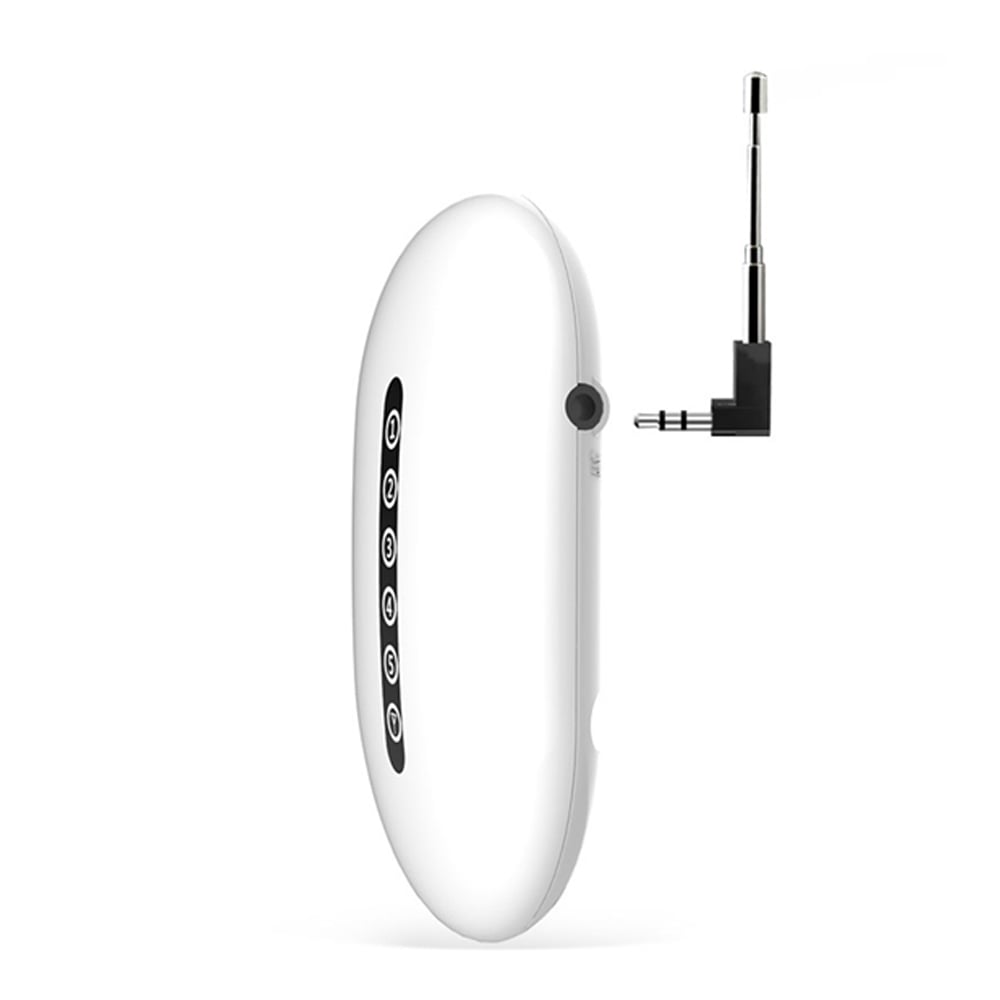
Ja. SignalMax har fem trådlösa zoner, zon 1 till 5, som kan användas för att organisera de inlärda enheterna och underlätta service och felsökning.
Hur lägger jag till en trådlös enhet i SignalMax?
Tryck på SET-knappen 1 till 5 gånger för att välja önskad zon och aktivera därefter den trådlösa enheten. Två ljudsignaler bekräftar att inlärningen lyckades. Avsluta genom att trycka kort på SET eller vänta cirka 20 sekunder.
Hur tar jag bort en zon från SignalMax?
Välj den aktuella zonen och håll SET-knappen intryckt tills fyra ljudsignaler hörs. Då raderas de inlärda enheterna i den valda zonen.
Kan SignalMax återställas till fabriksinställning?
Ja. Koppla bort strömmen, håll SET-knappen intryckt och anslut strömmen igen. SignalMax blinkar och ger ljudindikering och de inlärda enheterna raderas.
Har SignalMax en extern antenn?
SignalMax är utrustad med en metallantenn för stabil radiokommunikation och bästa möjliga räckvidd.
Var bör SignalMax placeras?
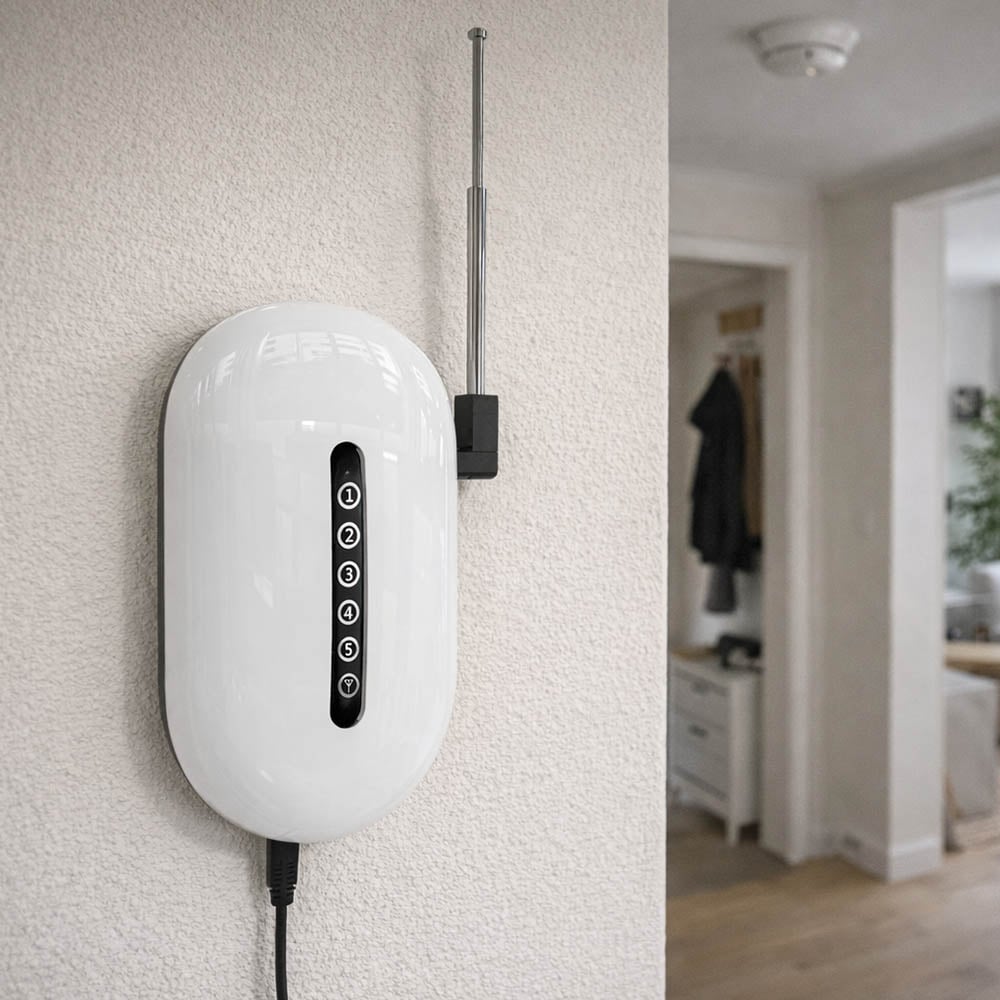
Placera SignalMax mellan SecureX-hubben och de sensorer eller fjärrkontroller som har svag kommunikation. Målet är att SignalMax ska ha god radiokontakt åt båda hållen.
Vilken monteringshöjd rekommenderas?
Rekommenderad monteringshöjd är cirka 1,5 till 2 meter över golvet.
Kan SignalMax monteras direkt på metall?
Det bör undvikas. Metall kan påverka radiosignalen och försämra räckvidden. Placera därför SignalMax på en lämplig plats med så få kraftiga hinder som möjligt.
Kan SignalMax placeras bakom armerad betong?
Det bör undvikas om möjligt. Armerad betong kan kraftigt dämpa radiosignaler och försämra kommunikationen.
Kan SignalMax placeras vid en elcentral?
Det rekommenderas att undvika placering direkt vid en elcentral eller annan utrustning som kan påverka radiokommunikationen.
Kan SignalMax användas i ett flerplanshus?
Ja. Flerplanshus är ett av de angivna användningsområdena för SignalMax, särskilt när byggnadens konstruktion gör direktkommunikationen mellan sensorer och hubb svag.
Passar SignalMax för stora villor?
Ja. SignalMax är särskilt användbar i större villor och bostäder där avstånd eller byggnadsmaterial försämrar radiosignalen.
Kan SignalMax användas i fritidshus?
Ja. SignalMax kan användas i fritidshus och andra större eller svåröverskådliga byggnader där SecureX-systemet behöver bättre radiotäckning.
Kan SignalMax användas i företag?
Ja. SignalMax är avsedd för både privata och professionella SecureX-installationer.
Kan SignalMax användas i butik?
Ja. Butiker är ett av de angivna användningsområdena, särskilt i lokaler där väggar, lagerutrymmen eller långa avstånd påverkar radiotäckningen.
Kan SignalMax användas i lager?
Ja. SignalMax passar bra i lager och större lokaler där avstånden mellan SecureX-hubben och sensorerna kan vara långa.
Kan SignalMax användas i industrimiljö?
Ja. Industrimiljöer anges som ett användningsområde. Placeringen är särskilt viktig eftersom stora metallkonstruktioner och maskiner kan påverka radiokommunikationen.
Är SignalMax direkt ansluten till WiFi?
Nej. SignalMax använder 433 MHz ASK och 868 MHz FSK för SecureX-kommunikationen. App- och internetfunktionerna hanteras via SecureX-hubben.
Fungerar SignalMax utan internet?
Ja. SignalMax arbetar med den lokala radiokommunikationen mellan kompatibla SecureX-enheter och hubben och är därför inte beroende av internet för själva repeaterfunktionen. Internet behövs däremot för internetbaserade appfunktioner.
Fungerar SignalMax om hemmets WiFi ligger nere?
Ja. SignalMax kommunicerar via SecureX-systemets radio och inte via hemmets WiFi. Stonehouse Smart-appens fjärrfunktioner kan däremot påverkas om SecureX-hubben saknar internetanslutning.
Hur strömförsörjs SignalMax?
SignalMax kan strömförsörjas med DC 5 V via Micro USB eller med DC 12 V.
Har SignalMax Micro USB?
Ja. SignalMax kan strömförsörjas med DC 5 V via Micro USB.
Kan SignalMax drivas med 12 V?
Ja. Förutom DC 5 V via Micro USB kan SignalMax även drivas med DC 12 V.
Har SignalMax ett backupbatteri?
Ja. SignalMax har ett inbyggt 3,7 V Ni-Hi backupbatteri som hjälper enheten att fortsätta fungera vid strömavbrott.
Fungerar SignalMax vid strömavbrott?
Ja. Det inbyggda backupbatteriet tar över när den externa strömförsörjningen försvinner.
Förlorar SignalMax sina inställningar om batteriet blir helt urladdat?
Nej. SignalMax har EEPROM-minne som behåller de sparade inställningarna även om det interna backupbatteriet skulle bli helt urladdat.
Vad är EEPROM-minnet till för?
EEPROM-minnet lagrar SignalMax inställningar även utan ström. Det innebär att de sparade inställningarna inte behöver försvinna vid ett längre strömavbrott eller helt urladdat backupbatteri.
Vilken standbyström har SignalMax?
Standbyströmmen anges till mindre än 20 mA vid DC 5 V och mindre än 13 mA vid DC 12 V.
Vilken arbetsström har SignalMax?
Arbetsströmmen anges till mindre än 600 mA vid DC 5 V och mindre än 200 mA vid DC 12 V.
Vilket temperaturområde klarar SignalMax?
SignalMax är specificerad för en arbetstemperatur från -20 °C till +55 °C.
Hur stor är SecureX SignalMax?
Måtten är cirka 155 x 72 x 22 mm.
Hur mycket väger SignalMax?
SignalMax väger cirka 168 gram.
Behöver SignalMax paras med SecureX-hubben?
Ja. SignalMax registreras i SecureX-systemet för att kunna vidarebefordra kommunikationen mellan kompatibla enheter och hubben.
How do I pair SignalMax with the SecureX hub?
Sätt SecureX-hubben i inlärningsläge, starta SignalMax och bekräfta att enheten registreras i systemet. Den första parkopplingen bör göras nära hubben innan SignalMax flyttas till sin slutliga placering.
Varför bör första parkopplingen göras nära hubben?
Genom att registrera SignalMax nära hubben minskar risken för att dålig radiosignal stör den första inlärningen. Efter registreringen kan SignalMax flyttas till den plats där den ger bäst täckning.
Vad gör jag om en SecureX-sensor har dålig räckvidd?
Placera SignalMax mer centralt mellan SecureX-hubben och den sensor som har dålig kommunikation. Undvik stora metallföremål, armerad betong och andra kraftiga hinder och testa kommunikationen innan slutlig montering.
Kan SignalMax förbättra kommunikationen genom tjocka väggar?
Ja. Det är ett av produktens huvudsakliga användningsområden. SignalMax kan placeras så att radiosignalen får en bättre väg mellan sensorerna och SecureX-hubben.
Kan SignalMax användas tillsammans med SecureX fjärrkontroller?
Ja. SignalMax har stöd för upp till 99 kompatibla fjärrkontroller.
Kan SignalMax användas tillsammans med SecureX-sensorer?
Ja. SignalMax är utvecklad för att vidarebefordra signaler från kompatibla SecureX-sensorer och har stöd för upp till 99 trådlösa detektorer.
Kan SignalMax användas med både 433 MHz- och 868 MHz-enheter?
SignalMax tekniska specifikation anger stöd för 433 MHz ASK och 868 MHz FSK. Vilka enheter som kan repeteras beror på kompatibiliteten med SecureX-systemet.
Kan SignalMax användas tillsammans med QuickControl?
Ja. SignalMax har stöd för kompatibla SecureX-fjärrkontroller och kan användas för att förbättra kommunikationen i installationer där avståndet till hubben är stort.
Kan SignalMax användas tillsammans med AquaGuard och andra SecureX-detektorer?
SignalMax är utvecklad för kompatibla SecureX-detektorer och kan användas för att förbättra radiotäckningen för enheter som stöds av repeatern.
Kan SignalMax förstärka WiFi-signalen till mina kameror?
Nej. SignalMax är inte en WiFi-repeater. Den förstärker kompatibel SecureX-radiokommunikation på 433 MHz ASK och 868 MHz FSK och ska inte användas för att förbättra hemmets WiFi.
Kan SignalMax förbättra WiFi-täckningen för Stonehouse Smart-produkter?
Nej. SignalMax är en repeater för kompatibla SecureX-larmenheter och inte en vanlig WiFi-förstärkare.
Behöver jag SignalMax i en normal villa?
Inte nödvändigtvis. Om alla SecureX-enheter har stabil kommunikation direkt med hubben behövs ingen repeater. SignalMax används när avstånd, våningsplan eller byggnadsmaterial gör radiokommunikationen svag eller instabil.
Hur vet jag var SignalMax ska placeras?
Börja med att identifiera vilka sensorer eller fjärrkontroller som har svag kommunikation. Placera sedan SignalMax mellan dessa enheter och SecureX-hubben, gärna cirka 1,5 till 2 meter över golvet och med så få kraftiga hinder som möjligt.
What is included in the delivery?
I leveransen ingår 1 SecureX SignalMax repeater, 1 DC 5 V Micro USB-strömadapter, 4 monteringsskruvar, 4 pluggar och 1 manual.
Ingår strömadapter?
Ja. En DC 5 V Micro USB-strömadapter ingår.
Are mounting materials included?
Ja. Fyra monteringsskruvar och fyra pluggar ingår.
Ingår manual?
Ja. En manual ingår med SecureX SignalMax.
Vad är den största fördelen med SecureX SignalMax?
Den största fördelen är att SignalMax kan förbättra räckvidd och stabilitet i SecureX-systemet när direktkommunikationen mellan sensorer och hubb inte är tillräcklig. Med mottagning på cirka 100 meter och sändning upp till 600 meter vid fri sikt passar den särskilt bra i större och mer krävande installationer.
What is Stonehouse Smart?
Stonehouse Smart är appen och plattformen som används tillsammans med SecureX Connect Pro och andra kompatibla Stonehouse Smart-produkter. SignalMax arbetar som en repeater mellan kompatibla SecureX-enheter och hubben, medan hubben ger tillgång till systemets appfunktioner. Stonehouse Smart finns för både iPhone och Android i App Store och Google Play. Sök efter "Stonehouse Smart" för att ladda ner appen.



 Svenska
  Dansk
Dansk
 Norsk bokmål
 English (UK)
 Suomi
Suomi
 Nederlands (Formeel)
 Polski
 Français
 Deutsch (Sie)
 Español