Does SecureX SirenGuard Pro work with the Stonehouse Smart app?
SecureX SirenGuard Pro ansluts till en kompatibel SecureX-hubb och används inte direkt mot mobilen. Via hubben hanteras systemet i Stonehouse Smart-appen och är även kompatibelt med Tuya Smart och Smart Life. Vi rekommenderar Stonehouse Smart-appen. Den finns för både iPhone och Android i App Store och Google Play. Sök bara efter "Stonehouse Smart" för att ladda ner appen.
What is SecureX SirenGuard Pro?
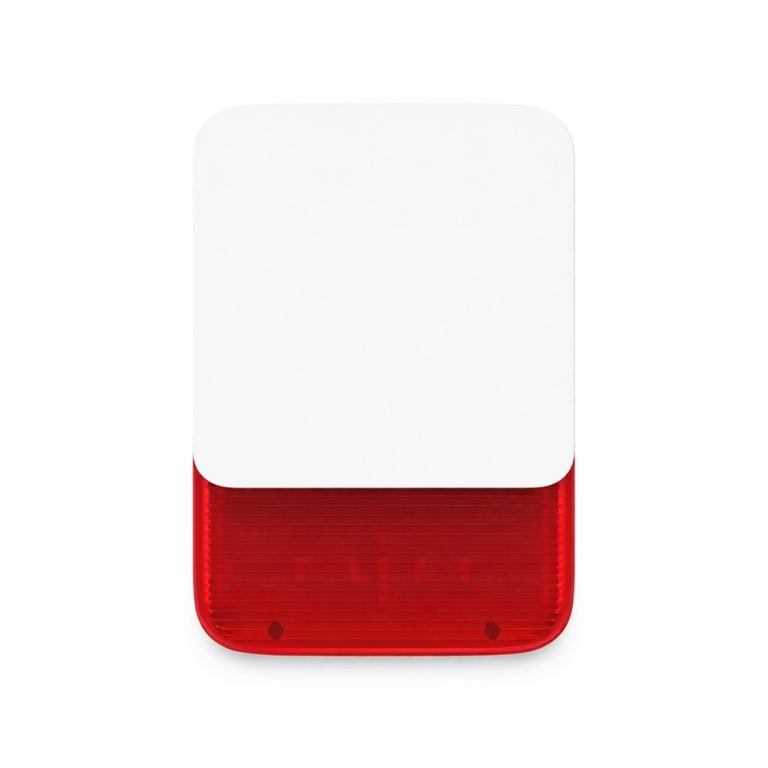
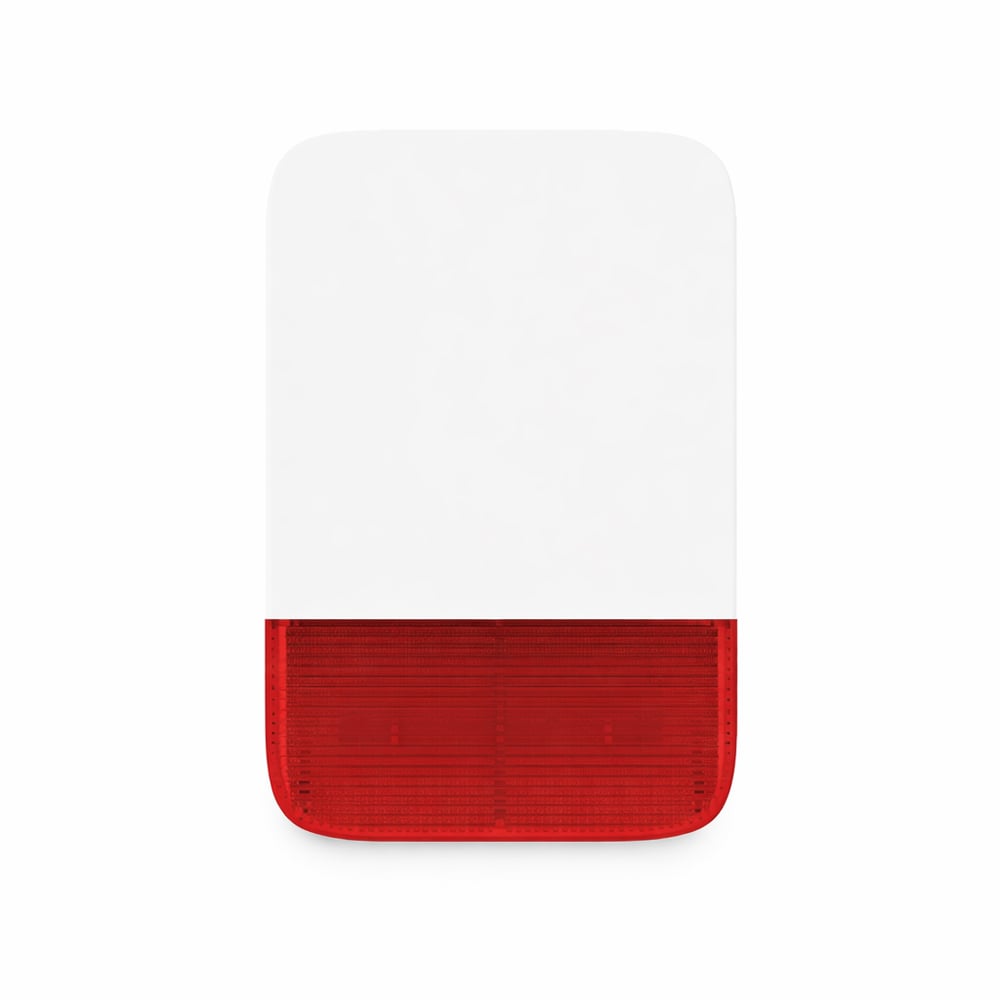
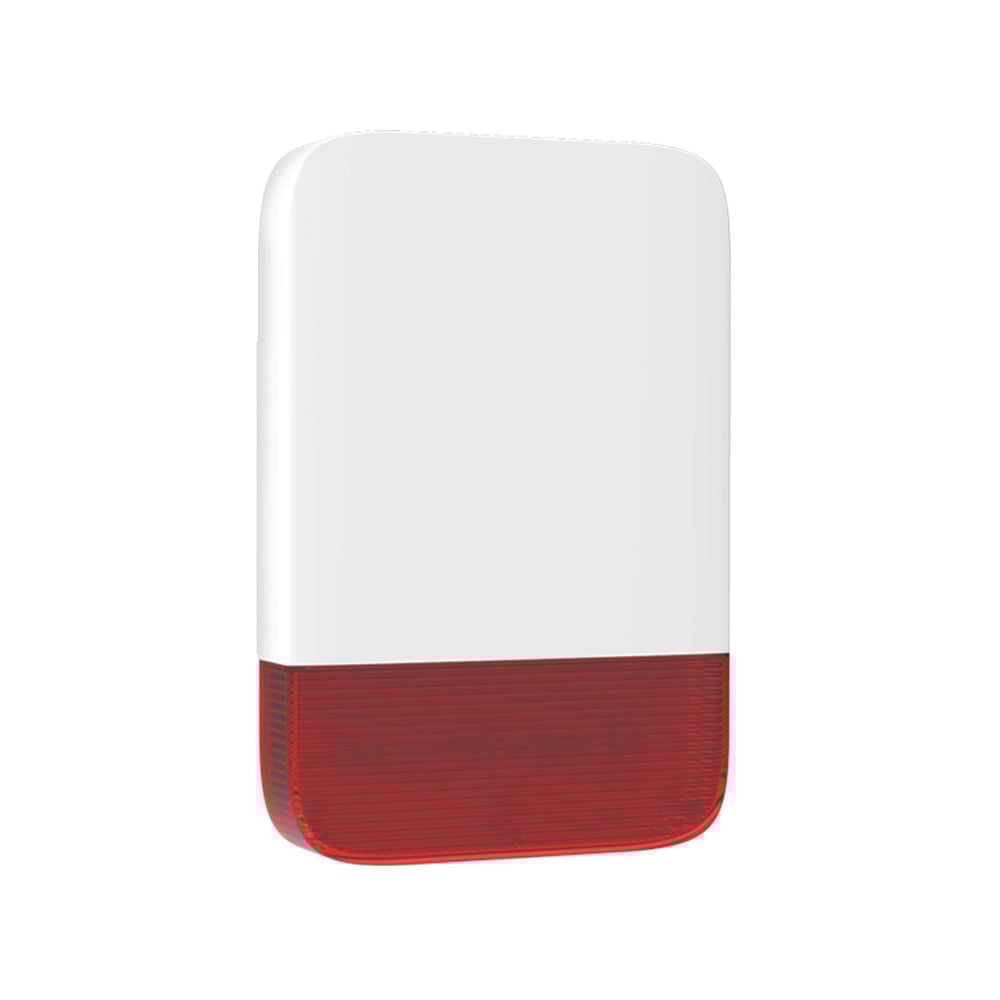
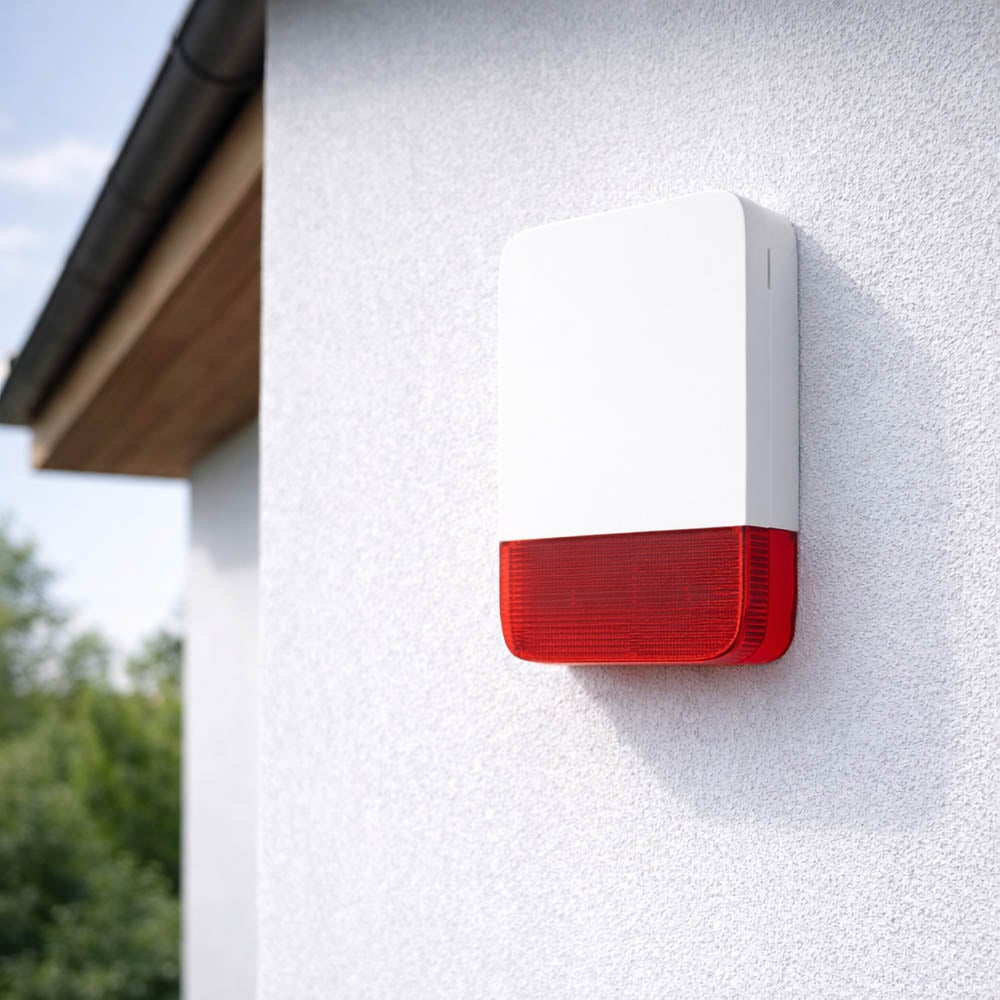
SecureX SirenGuard Pro is a powerful and robust outdoor siren for the SecureX alarm system. It combines an alarm signal of up to 120 dB with flashing strobe lights and sabotage protection for clear warning and deterrence.
What article number does the SecureX SirenGuard Pro have?
The article number is SIREN-PRO-SX.
Does SirenGuard Pro need a SecureX hub?
Yes. SirenGuard Pro is a system component for SecureX and is used together with a compatible SecureX hub, such as SecureX Connect Pro. The siren is not intended to be used standalone.
Does SirenGuard Pro work with SecureX Connect Pro?
Yes. SirenGuard Pro is developed for the SecureX system and can be used together with SecureX Connect Pro.
How loud does SirenGuard Pro alarm?
SirenGuard Pro has a maximum sound level of up to 120 dB.
Can the volume be adjusted?
Yes. SirenGuard Pro has 5 selectable volume levels, including a silent mode.
How many different alarm sounds are there?
SirenGuard Pro has 2 different alarm sounds that can be selected according to the needs of the installation.
Can I choose how long the siren should sound?
Yes. The alarm time can be set to 30 seconds, 1 minute, 3 minutes, or 5 minutes. The default setting is 3 minutes.
Does the SirenGuard Pro have strobe light?
Yes. The siren has a built-in flashing strobe light that provides a clear visual warning along with the audible alarm.
What is the advantage of the strobe light?
The strobe light makes the alarm visible while the siren emits a powerful sound signal. This provides clearer alarm indication and can contribute to a stronger deterrent effect.
Does SirenGuard Pro have a sabotage alarm?
Yes. SirenGuard Pro has built-in sabotage monitoring. If someone tries to dismantle or remove the siren, a sabotage alarm can be sent to the SecureX system.
How does the sabotage protection work?
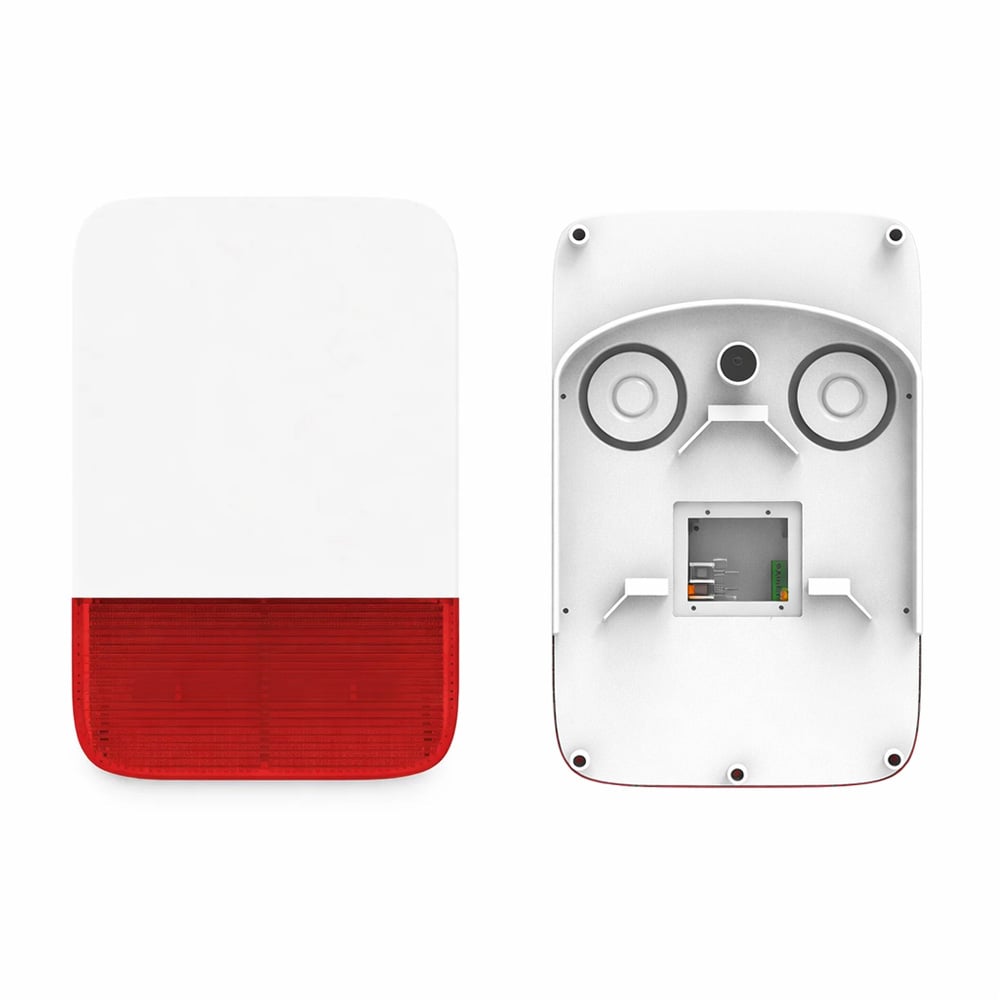
The siren has a sabotage contact that monitors the installation. When sabotage monitoring is activated, the siren can react if it is removed from the wall and forward the event to the SecureX system.
How is sabotage monitoring activated?
The sabotage monitoring can be activated when the sabotage contact is held down and released after approximately 10 seconds, or when the siren is properly mounted on the wall according to the installation instructions.
Kan jag få en pushnotis vid sabotage?
Ja. När SirenGuard Pro används med SecureX Connect Pro och systemet har internetanslutning kan sabotagehändelser skickas vidare via systemet och visas i Stonehouse Smart-appen.
What wireless technology does SirenGuard Pro use?
SirenGuard Pro använder SecureX Long Range-kommunikation med SecureX-kodning för kommunikationen med hubben.
Hur lång trådlös räckvidd har SirenGuard Pro?
Den angivna räckvidden är upp till cirka 500 meter vid fri sikt mellan sirenen och SecureX-hubben.
Är räckvidden alltid 500 meter?
Nej. Upp till cirka 500 meter gäller vid fri sikt. Väggar, metall, betong och andra hinder kan minska den faktiska räckvidden.
Är SirenGuard Pro direkt ansluten till WiFi?
Nej. SirenGuard Pro kommunicerar trådlöst direkt med SecureX-hubben via SecureX Long Range. Det är hubben som hanterar anslutningen till Stonehouse Smart-appen och internetbaserade funktioner.
Fungerar SirenGuard Pro utan internet?
Kommunikationen mellan SirenGuard Pro och SecureX-hubben sker lokalt och är inte beroende av internet. Internet behövs däremot för pushnotiser och fjärråtkomst via Stonehouse Smart-appen.
Fungerar SirenGuard Pro om hemmets WiFi ligger nere?
Ja. Sirenen kommunicerar med SecureX-hubben via SecureX Long Range och inte direkt via hemmets WiFi. Appens internetbaserade funktioner kan däremot påverkas om hubben saknar internetanslutning.
Hur många sirener kan användas i samma SecureX-system?
Du kan använda upp till 10 kompatibla sirener i samma SecureX-system.
Kan jag använda flera SirenGuard Pro runt en fastighet?
Ja. Flera sirener kan användas i samma SecureX-system för att ge tydlig ljud- och ljusindikering på olika sidor av en byggnad eller inom ett större område.
Hur strömförsörjs SirenGuard Pro?
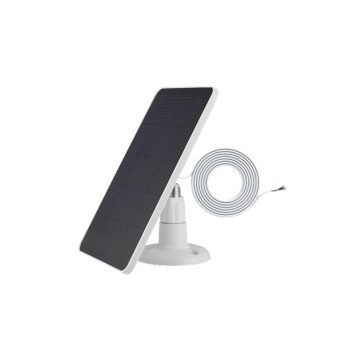
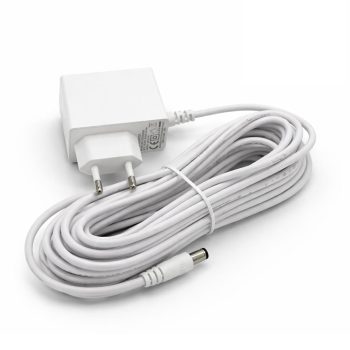
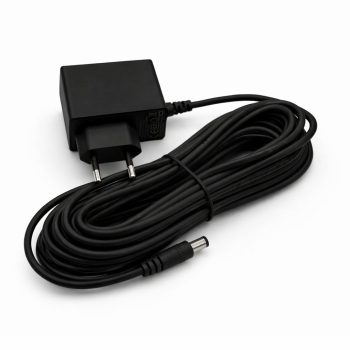
Sirenen kan strömförsörjas med extern DC 6-15 V / 1 A. Den har dessutom ett inbyggt uppladdningsbart litiumbatteri på 5000 mAh som backup och kan anslutas till en kompatibel solpanel som tillval.
Har SirenGuard Pro ett inbyggt batteri?
Ja. SirenGuard Pro har ett inbyggt uppladdningsbart litiumbatteri på 3,7 V och 5000 mAh.
Fungerar SirenGuard Pro vid strömavbrott?
Ja. Det inbyggda 5000 mAh-batteriet fungerar som backup om den externa strömförsörjningen försvinner.
Kan SirenGuard Pro drivas med solpanel?
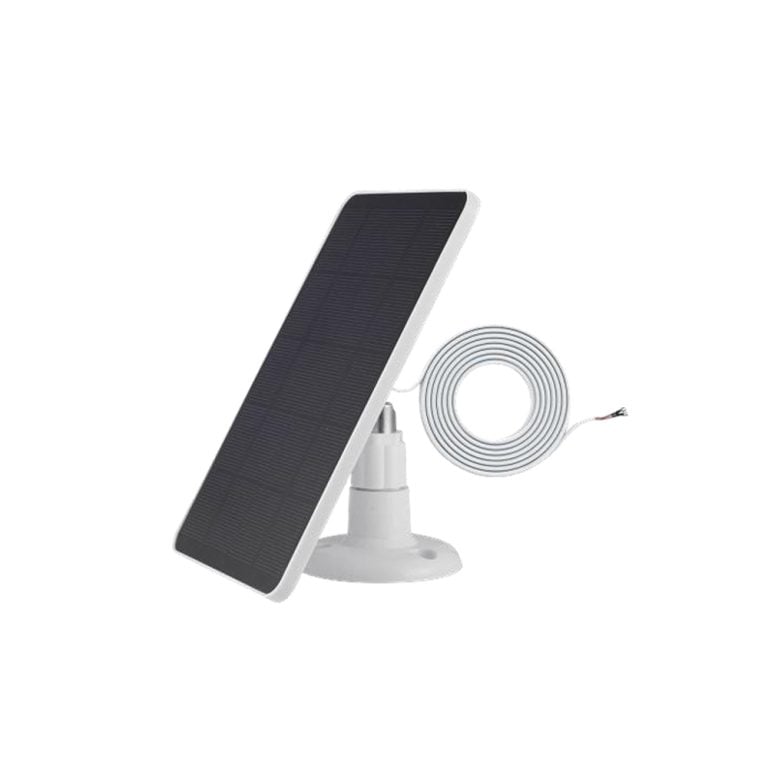
Ja. En kompatibel solpanel kan anslutas som tillval. Den specificerade anslutningen för solpanel är 5 V / 1 A.
Is a solar panel included?
Nej. Solpanelen är ett tillval och köps separat.
Måste jag använda solpanel?
Nej. Solpanelen är valfri. SirenGuard Pro kan istället strömförsörjas med den externa strömadaptern och använder det inbyggda batteriet som backup.
Kan SirenGuard Pro användas där nätström saknas?
Möjligheten att ansluta en kompatibel solpanel gör SirenGuard Pro lämplig även för installationer där vanlig nätanslutning är svår att ordna. Installationen och laddningsförhållandena måste anpassas efter platsen.
Vilken strömförbrukning har SirenGuard Pro i standby?
Standbyströmmen anges till cirka 0,25 mA.
Vilken strömförbrukning har sirenen vid larm?
Strömförbrukningen vid larm anges till mindre än 500 mA.
Är SirenGuard Pro gjord för utomhusbruk?
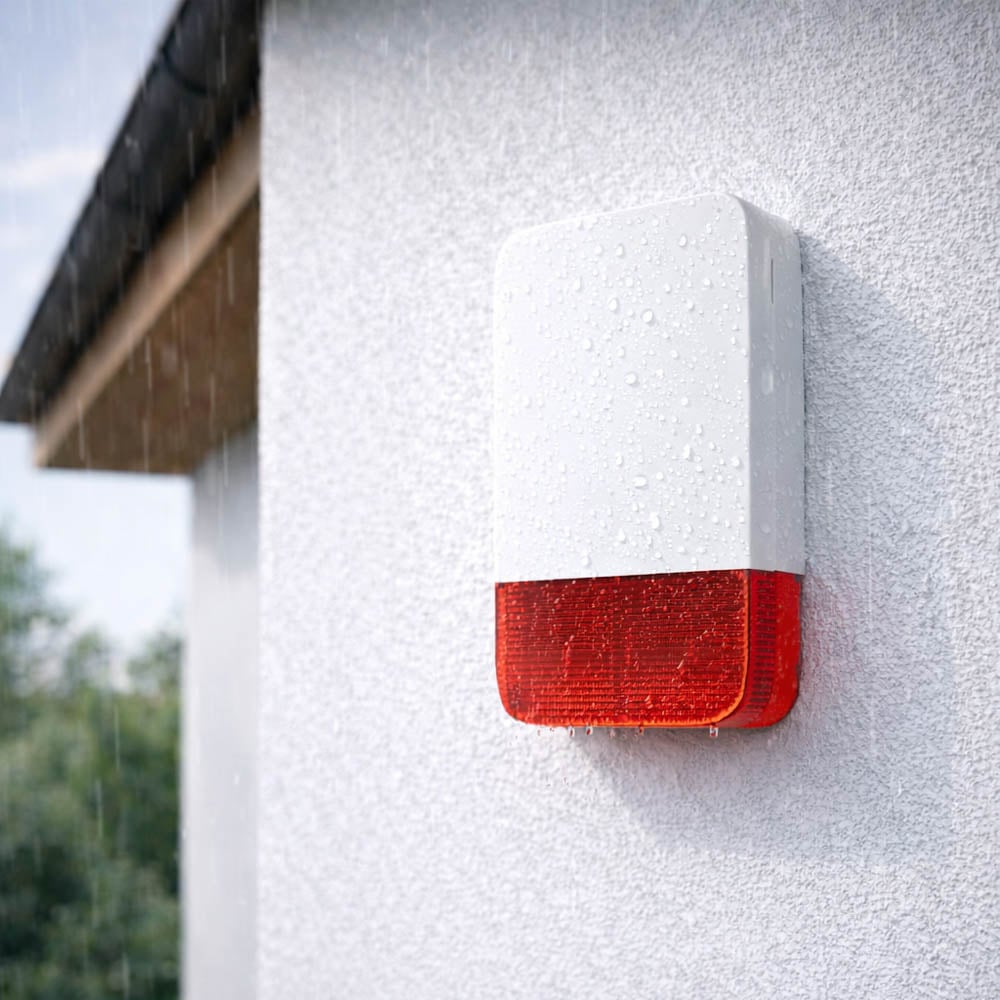
Ja. SirenGuard Pro är utvecklad som en robust utomhussiren för SecureX-systemet och är avsedd för krävande utomhusmiljöer.
Vilket temperaturområde klarar SirenGuard Pro?
SirenGuard Pro är specificerad för en arbetstemperatur från -20 °C till +50 °C.
Vilken luftfuktighet klarar SirenGuard Pro?
Den angivna relativa luftfuktigheten är under 95 procent utan kondens.
Kan SirenGuard Pro användas i svenskt klimat?
SirenGuard Pro är utvecklad för utomhusbruk och har ett specificerat arbetstemperaturområde från -20 °C till +50 °C. Installationen ska göras enligt produktens monteringsanvisningar.
Kan SirenGuard Pro användas på en villa?
Ja. Villor är ett av de typiska användningsområdena för SirenGuard Pro.
Kan SirenGuard Pro användas vid fritidshus?
Ja. SirenGuard Pro passar bra för fritidshus och sommarstugor där en tydlig utomhussiren och lång trådlös räckvidd är användbar.
Kan SirenGuard Pro användas på företag?
Ja. Sirenen är lämplig för företag och kommersiella fastigheter med ett kompatibelt SecureX-larmsystem.
Kan SirenGuard Pro användas vid lager?
Ja. Lager och större verksamhetslokaler är typiska användningsområden där den kraftiga ljudsignalen och Long Range-kommunikationen är användbara.
Kan SirenGuard Pro användas vid garage?
Ja. SirenGuard Pro kan monteras utomhus vid garage och användas tillsammans med andra SecureX-produkter för att skapa ett komplett larmsystem.
Kan SirenGuard Pro användas i industriområden?
Ja. Produkten är utvecklad även för lager, garage och industriområden där en kraftig utomhussiren och tydlig visuell indikering behövs.
Hur stor är SirenGuard Pro?
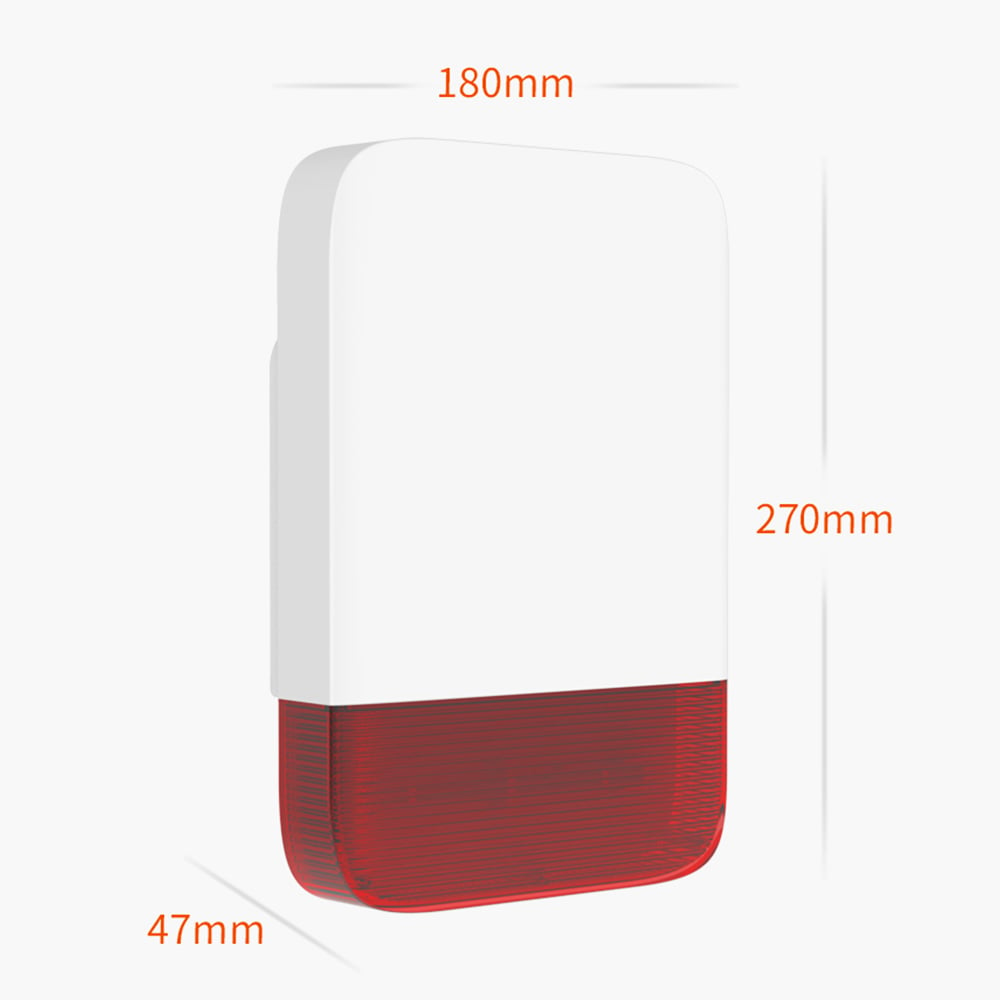
Måtten är cirka 270 x 180 x 47 mm.
Hur mycket väger SirenGuard Pro?
SirenGuard Pro väger cirka 970 gram.
Hur monteras SirenGuard Pro?
Sirenen monteras på en vägg med den medföljande väggmonteringsplattan. Skruvar och pluggar ingår.
Ingår väggmonteringsplatta?
Ja. En väggmonteringsplatta ingår i leveransen.
Ingår skruvar och pluggar?
Ja. Fyra skruvar och fyra pluggar ingår för montering.
Var bör SirenGuard Pro placeras?
Placera sirenen på en synlig och lämplig utomhusvägg där ljudet och stroboskopljuset kan uppmärksammas tydligt. Placeringen bör samtidigt ge god radiokommunikation med SecureX-hubben.
Hur högt bör SirenGuard Pro monteras?
Montera sirenen på en plats där den är svår att nå för obehöriga men fortfarande möjlig att komma åt för service. Följ installationsanvisningen och kontrollera radiotäckningen innan slutlig montering.
Varför bör jag testa räckvidden före slutlig montering?
Väggar, metall, betong och byggnadens konstruktion kan påverka radiosignalen. Genom att testa kommunikationen före slutlig montering kan du säkerställa att SirenGuard Pro har stabil kontakt med SecureX-hubben.
Kan SirenGuard Pro användas tillsammans med MotionEye Pro?
Ja. MotionEye Pro kan upptäcka rörelse och SecureX-systemet kan aktivera SirenGuard Pro när ett inbrottslarm utlöses.
Kan SirenGuard Pro användas tillsammans med DoorSense Pro?
Ja. DoorSense Pro övervakar dörrar och fönster medan SirenGuard Pro ger en kraftig ljud- och ljusvarning när SecureX-systemet utlöser larm.
Kan SirenGuard Pro användas tillsammans med DoorSense Garage?
Ja. DoorSense Garage kan övervaka garageportar, rullportar och större dörrar medan SirenGuard Pro används som utomhusvarning i samma SecureX-system.
Kan SirenGuard Pro användas tillsammans med VibraSense?
Ja. VibraSense kan upptäcka slag, vibrationer och brytförsök medan SirenGuard Pro kan ge en tydlig ljud- och ljusvarning när SecureX-systemet utlöser larm.
Kan SirenGuard Pro användas tillsammans med SmokeGuard och HeatSense?
Ja. SirenGuard Pro kan ingå i samma SecureX-system som SmokeGuard och HeatSense. Hur externa sirener ska reagera på olika typer av larm konfigureras i SecureX-systemet.
Kan SirenGuard Pro användas tillsammans med AquaGuard?
Ja. AquaGuard kan användas i samma SecureX-system. Hur SirenGuard Pro ska reagera på ett vattenlarm beror på hur systemet är konfigurerat.
Kan SirenGuard Pro aktiveras vid SOS-larm?
Sirenen kan användas som en del av SecureX-systemets larmhantering. Hur SirenGuard Pro reagerar på SOS och andra händelsetyper beror på systemets konfiguration.
Kan SirenGuard Pro användas tillsammans med den vanliga SirenGuard inomhussirenen?
Ja. Du kan kombinera SecureX SirenGuard inomhus med SirenGuard Pro utomhus för att få tydlig larmindikering både inne och utanför byggnaden.
Vad är skillnaden mellan SirenGuard och SirenGuard Pro?
SirenGuard är en inomhussiren med ljudnivå upp till 110 dB. SirenGuard Pro är en kraftigare utomhussiren med ljudnivå upp till 120 dB, stroboskopljus, sabotageskydd, 5000 mAh backupbatteri och möjlighet till solpanel.
Behöver SirenGuard Pro paras med SecureX-hubben?
Ja. SirenGuard Pro registreras i SecureX-hubben så att systemet kan styra sirenen och övervaka dess funktion.
Vad gör jag om SirenGuard Pro inte reagerar vid larm?
Kontrollera att sirenen har ström, att batteriet är laddat och att SirenGuard Pro är korrekt registrerad i SecureX-hubben. Kontrollera även att sirenen är konfigurerad för den aktuella larmtypen.
Vad gör jag om kommunikationen med hubben är dålig?
Kontrollera avståndet och mängden hinder mellan sirenen och SecureX-hubben. Betong, metall och andra kraftiga konstruktioner kan minska räckvidden. Prova vid behov en annan placering.
What is included in the delivery?
I leveransen ingår 1 SecureX SirenGuard Pro utomhussiren, 1 väggmonteringsplatta, 4 skruvar, 4 pluggar, 1 strömadapter för nätanslutning och 1 manual.
Ingår strömadapter?
Ja. Strömadapter för nätanslutning ingår.
Ingår manual?
Ja. En manual ingår med SirenGuard Pro.
Vad är fördelen med SecureX Long Range?
SecureX Long Range ger lång trådlös räckvidd mellan kompatibla SecureX-enheter och hubben. För SirenGuard Pro anges upp till cirka 500 meter vid fri sikt, vilket gör tekniken lämplig även för större fastigheter och installationer.
Vad är fördelen med en utomhussiren?
En utomhussiren gör ett utlöst larm både hörbart och synligt utanför byggnaden. Den kraftiga ljudsignalen, stroboskopljuset och det synliga montage kan bidra till att uppmärksamma omgivningen och avskräcka vid ett inbrottsförsök.
Vad är fördelen med SirenGuard Pro jämfört med en vanlig siren?
SirenGuard Pro kombinerar upp till 120 dB ljudsignal, stroboskopljus, sabotageövervakning, SecureX Long Range, 5000 mAh backupbatteri och möjlighet till solpanel. Det gör den särskilt anpassad för utomhusinstallation och större SecureX-system.
What is Stonehouse Smart?
Stonehouse Smart är appen och plattformen som används tillsammans med SecureX Connect Pro och andra kompatibla Stonehouse Smart-produkter. SirenGuard Pro kommunicerar med SecureX-hubben, medan hubben ger tillgång till systemets appfunktioner och pushnotiser. Stonehouse Smart finns för både iPhone och Android i App Store och Google Play. Sök efter "Stonehouse Smart" för att ladda ner appen.



 Svenska
  Dansk
Dansk
 Norsk bokmål
 English (UK)
 Suomi
Suomi
 Nederlands (Formeel)
 Polski
 Français
 Deutsch (Sie)
 Español