

Visonic Smoke & Heat Detector SMD-976 PG2+ PowerG Wireless – replaces SMD-429
Brand: Visonic
SKU: 0-500420
1 900 kr

🟢 1 st i lager (fler kan beställas)
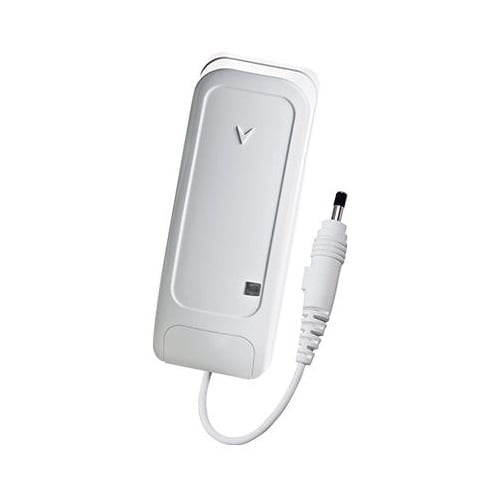
Visonic PowerG water alarm with freeze detection (0-104230) is a wireless sensor that detects both water leaks and risk of freezingThe sensor is compatible with Visonic PowerMaster system and sends alarms immediately when water or dangerously low temperatures are detected.
It is ideal for installation in, for example, basements, boiler rooms, laundry rooms or other spaces where water leaks or risk of freezing may occur.
Artikelnummer: 0-104230
865 kr
Visonic 0-104230 is a wireless PowerG sensor that combines water leak detection and freeze protection in the same unit. The sensor is used together with Visonic PowerMaster system and sends alarms when water is detected or when the temperature reaches critical levels.
This makes it possible to detect problems early and prevent extensive damage to buildings and installations.
The sensor reacts quickly when water reaches the sensor contacts and sends an alarm to the alarm system. The built-in temperature monitoring also makes it possible to detect dangerously low temperatures before pipes freeze or burst.
This makes the sensor particularly useful in, for example:
This model can be used in many installations as a modern replacement for previous temperature sensors such as Visonic TMD-560 PG2.
The TMD-560 PG2 only monitored temperature, while this sensor can detect both water leaks and risk of freezing, which provides more complete protection.
The sensor uses PowerG, Visonics' advanced wireless technology for security products. PowerG provides stable communication, long range and high reliability.
The device is compatible with Visonic PowerMaster panels and easily integrates into existing PowerG installations.
The wireless design makes installation easy as there are no cables to run. The sensor is battery powered and can be placed directly on the floor or near areas where water leaks may occur.
To add the sensor to the alarm system:
| Limited warranty | 2 years |
|---|---|
| Category | Burglary |
| Product series | PowerG |
| Product type | Liquid leak sensor |
| RoHS compliant | Compatible |
| Manufacturer's part number | 0-104230 |
| Trademark | Visonic |
| Trademark |
 Svenska Svenska
  Dansk
Dansk
 Norsk bokmål
 English (UK)
 Suomi
Suomi
 Nederlands (Formeel)
 Polski
 Français
 Deutsch (Sie)
 Español