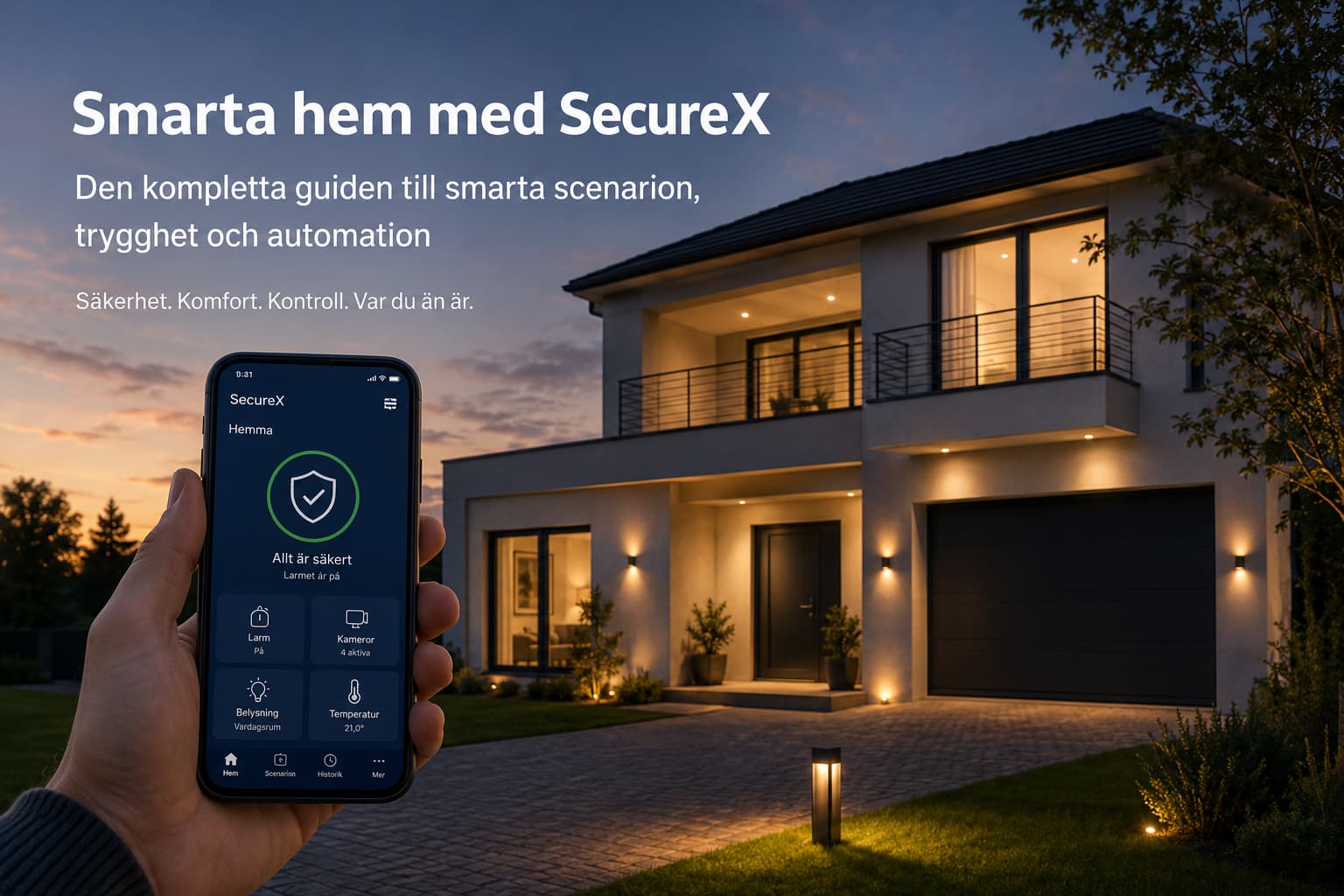
Guide to a smarter, safer, and more comfortable home
What if your home could automatically turn off the lights when you leave, lower the heat when no one is home, respond to water leaks, and welcome you with the right light when you return?.
With SecureX, Stonehouse Smart and compatible smart products, alarms, sensors, lighting, outlets, relays, thermostats, cameras and water shutoff can work together in automatic scenarios.
You don't need to open multiple apps and control each product manually. Instead, you create rules for what to happen when a certain event occurs.
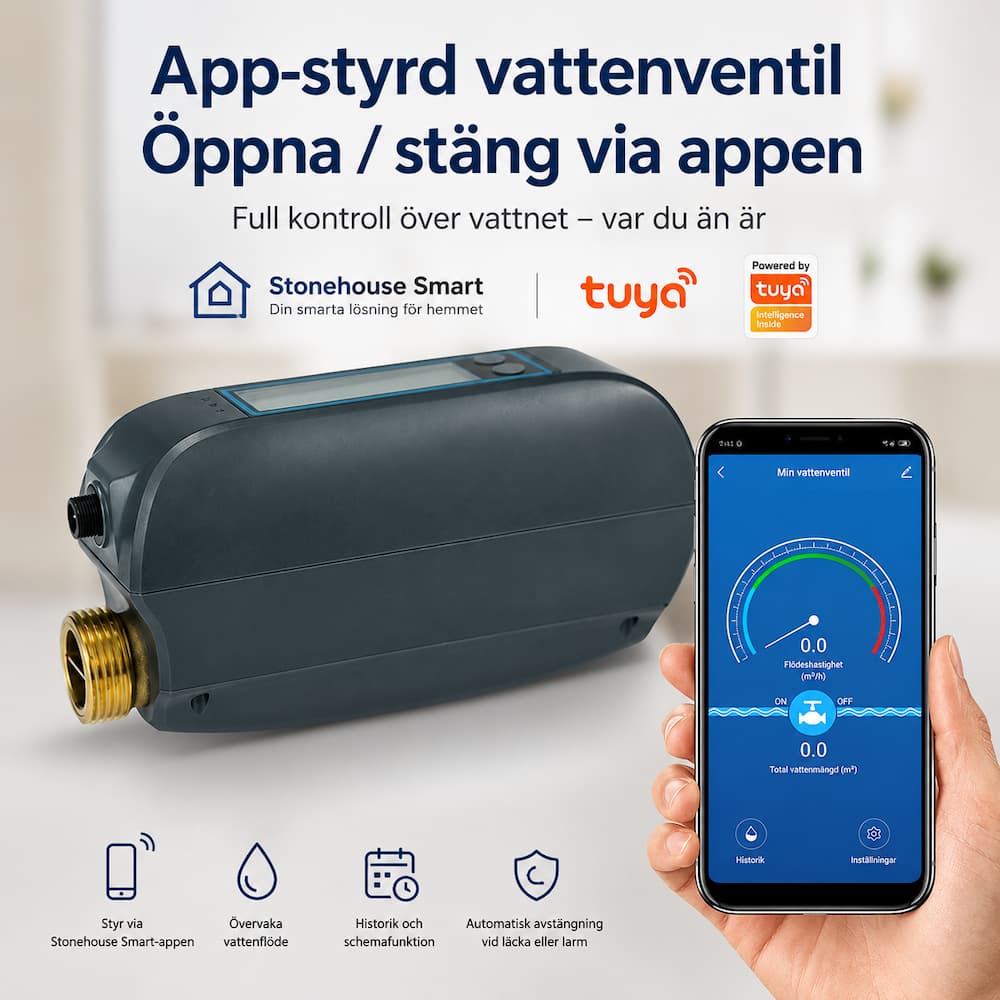
When Off-mode is activated, for example, the lighting can be turned off, selected outlets can be disconnected, and the temperature can be lowered. When the alarm is deactivated, the hall can be lit. When a leak sensor detects water, the Stonehouse Smart WiFi Water Switch Pro can automatically shut off the main water supply.
The basic idea is simple:
A smart home shouldn’t give you more things to manage. It should take care of things you otherwise need to remember.
Content
- What is a smart scenario?
- This is how SecureX and Stonehouse Smart work together
- A day in a smart home
- Scenarios for burglary, fire and water
- Convenience and energy savings
- WiFi or Zigbee?
- Smart solutions for different types of housing
- 50 smart scenarios
- This is how you build the system step by step
- Frequently asked questions
What is a smart scenario?
A smart scenario is an automation where an event triggers one or more actions.
A scenario usually consists of three parts.
1. The incident
The event is what starts the scenario.
This could be, for example:
- The alarm is activated
- a door opens
- movement is detected
- the sun is going down
- The clock will be 22:30
- the temperature becomes too low
- a sensor detects water
2. Terms and conditions
Conditions determine when the scenario can be run.
A scenario could, for example, be limited to:
- some times
- some weekday days
- when it gets dark
- when no one is home
- a special alarm mode
- a certain temperature
One scenario for the hall lighting can, for example, be activated when the front door opens, but only after sunset.
3. The measures
The actions are what the system is supposed to do when the conditions are met.
The system can, for example:
- turning on or off the lighting
- breaking a smart outlet
- change the temperature
- start camera surveillance
- activate a siren
- send a push notification
- close the main water supply
Smart homes are about automation
Being able to turn on a light from your mobile phone is convenient, but you still have to remember to do it.
The real benefit occurs when the home itself knows when the light should be turned on.
The outdoor lighting can follow the sun's rise and set. The hall can be lit when you return home after darkness falls. The coffee maker's outlet can be disconnected when Bortaläge is activated. The heat can be lowered when the house is empty and returned to normal temperature before the family returns home.
You decide the rules. The scenarios are adapted to the home, the family and the products installed.
What can start a scenario?
| Type of trigger | Examples |
|---|---|
| Alarm status | Away mode, Home mode, Night mode, activation or deactivation |
| Time | Fixed time of day, weekdays, weekends, or recurring schedule |
| The times of the sun | Sunrise, sunset, or a certain time before or after |
| Sensor | Movement, door, temperature, humidity, smoke or water |
| Manual control | Button in the app, compatible physical button, or voice control |
Secureus advises: Start with two or three simple scenarios. Away mode, home mode, and outdoor lighting at sunset provide great benefits without making the installation unnecessarily complicated.
SecureX as part of the smart home
A traditional alarm system primarily has one task: to detect and signal an intrusion.
Security remains at the core of SecureX, but the system can also be part of a larger smart home solution.
SecureX can be used to monitor, among other things:
- burglary
- Fire
- movement
- doors and windows
- water leakage
- temperature-related events
The alarm system uses its own wireless RF communication for the alarm sensors and can handle basic local alarm functions even if the internet connection is lost.
When the internet connection is working, the Stonehouse Smart app provides access to remote control, real-time overview, push notifications, and smart automations.
Stonehouse Smart is based on the Tuya platform. This enables the combination of SecureX with many types of compatible products for lighting, electrical control, climate control, cameras, and water shutoff.
| Traditional alarm system | SecureX with Stonehouse Smart |
|---|---|
| Reacts primarily in the event of burglary | Can be included in scenarios for safety, lighting, climate control, and electrical control |
| The siren is the main measure | Several compatible products can react simultaneously |
| Separated from the rest of the home's technology | Can be combined with smart products in the same app environment |
| Stable function from the start | Modular system that can be expanded as needed |
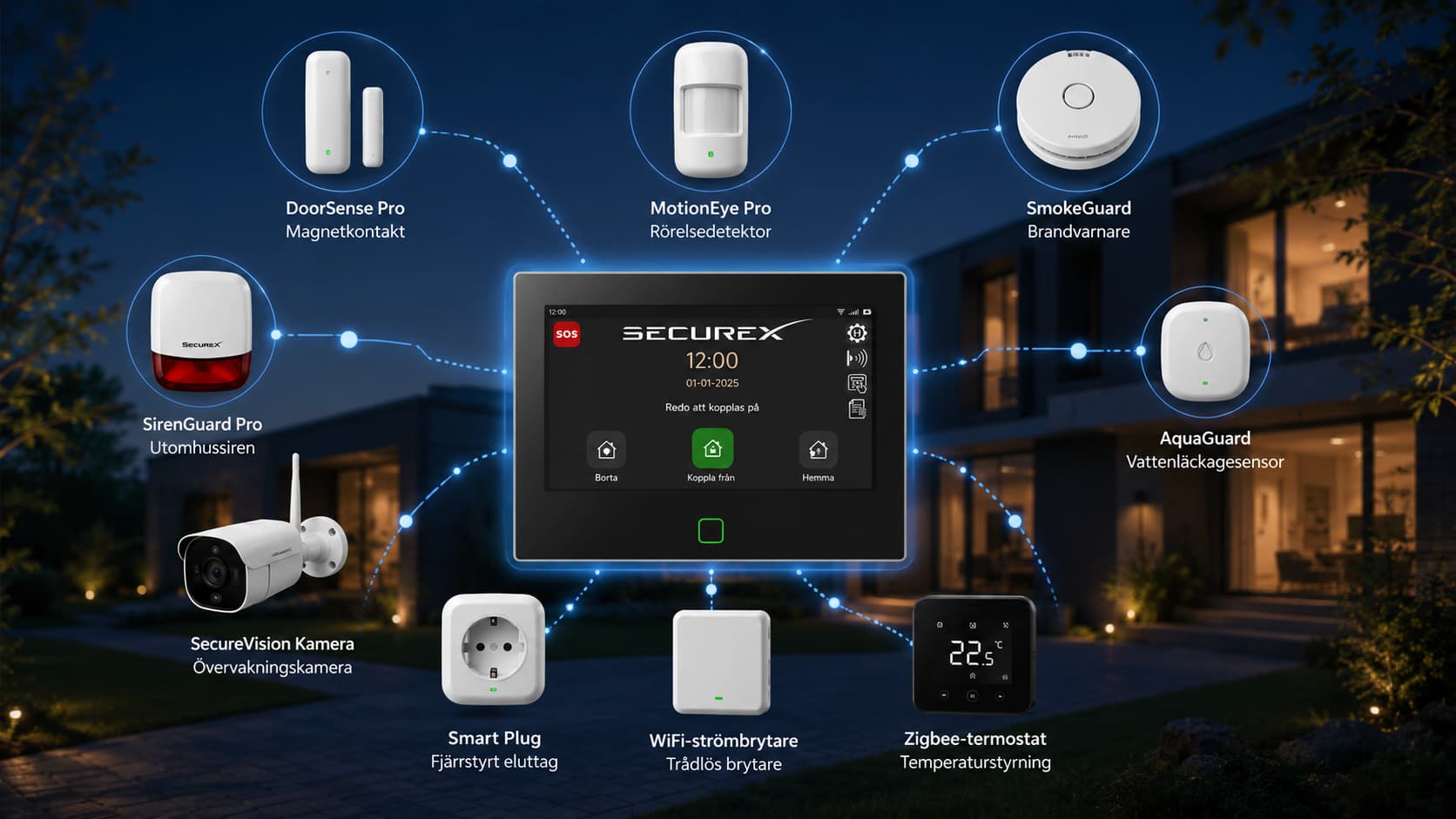
Would you like to start with the alarm system itself?
Explore the entire SecureX range or choose a ready-made SecureX Connect Pro package for a villa, apartment or holiday home.
A day in a smart home
The technology becomes easier to understand when you see how it can be used in everyday life.
6:15, the house wakes up
The facade lighting is switched off in relation to the sunrise. The temperature is gradually raised and the kitchen is given a soft morning light.
7:55 a.m., the family leaves home
Away mode is activated.
The lighting is turned off, selected smart outlets are disconnected, the temperature is lowered, and the camera surveillance can be adjusted.
16.45, someone is coming home
The alarm is deactivated.
The hall lights up if it is dark, the temperature returns to normal level, and selected smart outlets are activated.
20.30, quiet evening
An evening scenario is activated.
The kitchen lighting is turned off, the living room dims, and compatible curtains can be closed.
22.30, night mode
The alarm system is activated. Unnecessary electronics are turned off and a faint nightlight can be turned on in the hallway.
03:00, the house is asleep
The system continues to monitor doors, motion, fire and water.
If something happens, several actions can start at the same time.
When you leave home
Remote control is one of the most useful scenarios in a smart home.
A single choice can signal that the home should move from its normal everyday routine to a safer and more energy-efficient mode.
When Away mode is activated, the system can, for example:
- turn off selected indoor lighting
- cut off the power to the coffee maker, TV, and other selected appliances
- Lower the temperature by a few degrees
- activate or customize camera monitoring
- close the main water supply
- send a confirmation to the mobile phone
With WiFi power switches, smart outlets, and compatible relay modules, it is possible to control many common lamps and electrical appliances.
Important: Products with heating elements or other safety features must always be used according to the manufacturer's instructions. Smart sockets do not replace the device's built-in safety features or proper electrical installation.
When you get home
When the alarm is deactivated, the home can automatically return to its default state.
The hall can be lit if it is dark. The temperature can be raised. Selected outlets can be activated and the lighting can be adjusted according to the time of day.
It doesn't have to feel like an advanced technology demonstration.
It just feels like the house is ready when you walk in the door.
When the home needs to react quickly
In attempts at burglary
If a door sensor or motion detector triggers an alarm, SecureX can activate sirens and send out warnings.
In a more advanced scenario, compatible lighting can also be turned on, cameras can start recording, and the ambient lighting can make the entrance visible.
Discover
DoorSense Pro, MotionEye Pro and other alarm sensors record the event.
Discipline
Indoor and outdoor sirens are activated. Compatible lighting can be turned on or blinks.
Inform
Push notifications and other selected alarm routes provide quick information.
Document
Compatible cameras can be used to monitor what is happening.
In case of fire
In a fire, time is crucial.
SecureX SmokeGuard and HeatSense can be used to detect smoke and abnormal heat development, respectively.
A fire scenario could for example:
- activate the sirens
- send push notifications
- light up the hall, stairs and entrance
- light up the outdoor lighting
- make the escape route clearer
- provide the ability to control cameras remotely when it is safe
Important: An alarm system never replaces an emergency plan. Leave the building immediately, warn others, and call 112. Never go back into a burning building to check on technology or property.
In case of water leakage
A water leak can start behind the dishwasher, under the sink or next to the hot water heater without anyone noticing it.
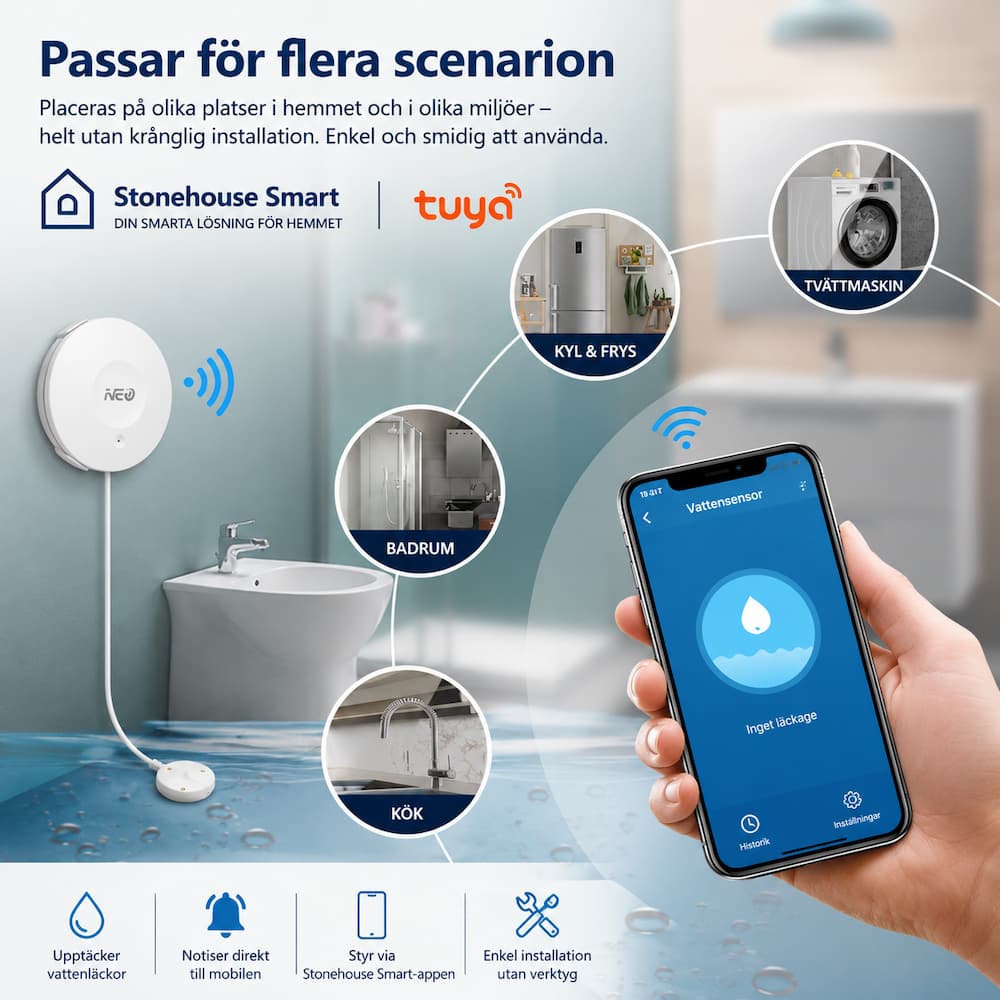
SecureX AquaGuard and compatible water alarms can provide early warning.
With the Stonehouse Smart WiFi Water Tap Pro, the system can also automatically turn off the main water supply when a compatible sensor detects water.
| When water is discovered | Possible action |
|---|---|
| Immediately | Push notification and local warning |
| At the same time | The lighting at the venue is turned on |
| With water switch | The main water is shut off automatically |
| Afterwards | The user can control the cameras and contact someone nearby |
A smart water solution can therefore both warn of and actively limit damage.
Convenience that is noticeable without taking up space
Lighting that follows the sun
Fixed timers work poorly in a country where the length of the day varies greatly between summer and winter.
An astronomical schedule instead follows the sun's rise and set.
For example, you can:
- light the facade lighting at sunset
- light the driveway 15 minutes before sunset
- turn off the decorative lighting 45 minutes before sunrise
- light the Christmas lights an hour after sunset
You don't have to change the times when the seasons change and the lighting is only used when it is actually needed.
Heat based on how the home is used
With compatible thermostats, the temperature can be adjusted according to time, day of the week, and how the home is used.
Exact functions depend on the heating system, thermostat, and installation.
| Location | Examples of temperature | Purpose |
|---|---|---|
| At home | 21 °C | Normal comfort |
| Out of town | 18 °C | Reduce energy consumption |
| Night | 19 °C | Safer sleeping environment |
| Vacation | 16 °C | Underfloor heating and frost protection |
Temperatures are an example and should always be adjusted to the home and heating system.
Movie night, dinner or good night
Smart scenarios do not need to be linked to alarms.
One button press can, for example:
- dimmed living room
- turn off the kitchen lights
- close compatible curtains
- light the dining area
- put out the downstairs
- breaking out selected outputs
- activate the shell protection
Reduce unnecessary standby consumption
TV sets, media players, chargers and other electronics can use energy even when they are not in use.
Smart outlets can switch on selected loads when the house is empty or during the night.
The biggest gain is not always a single large savings. The benefit often lies in the fact that many small routines are carried out consistently every day.
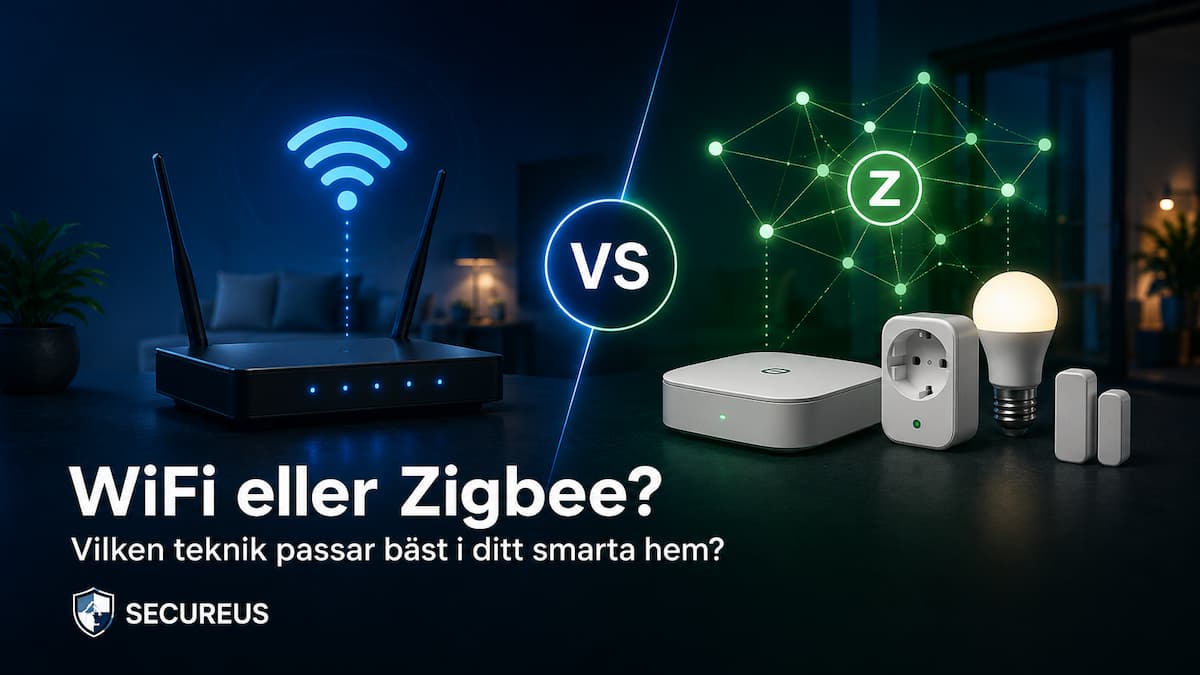
WiFi or Zigbee?
WiFi and Zigbee are both used for smart products, but they suit different types of installations.
WiFi
WiFi products are usually connected directly to the home router.
Advantages of WiFi
- no separate gateway is required
- high transmission speed
- fits well for cameras and video doorbells
- simple remote control via the internet
- easy to get started with a smaller number of products
Disadvantages of WiFi
- battery-powered devices can use more energy
- Many devices can overload a weak network
- The range depends on the router and coverage
- Cloud features and push notifications may be affected if the internet goes down
The number of devices the network can support depends on the router, the coverage, and how the network is used. Larger installations may require a more modern router or multiple access points.
Zigbee
Zigbee products are connected via a compatible gateway.
Advantages of Zigbee
- low energy consumption
- Suitable for battery-powered sensors
- can handle a large number of devices
- Many networked Zigbee devices can forward the signal
- Some local features may continue to work without internet
Disadvantages of Zigbee
- requires a compatible gateway
- not suitable for video streaming
- The compatibility must be checked
- Poor positioning or channel planning can affect coverage
It is mainly connected Zigbee devices, such as plugs, lights and fixed-mounted modules, that can help to strengthen the network. Battery-powered sensors do not normally function as signal amplifiers.
Which one should you choose?
Select WiFi when you want to connect a smaller number of products directly to the router, or when the product requires a higher data speed, such as a camera.
Choose Zigbee when planning to use many sensors, buttons, thermostats, and other low-energy devices.
In many homes, the best solution is to use both techniques:
- WiFi for cameras, doorbells and some relays
- Zigbee for sensors, thermostats and battery-powered products
Scenarios for different types of housing and living situations
The family with children
The hall lights up when someone arrives home. Parents can receive a notification when the front door opens. Nightlight is activated at a low level and selected outlets are turned off at bedtime.
The dog owner
The temperature is kept comfortable, the lighting is turned on when darkness falls and cameras can be controlled via the mobile phone.
Elderly relative
Bright night lighting, door locks and simple buttons can provide extra security.
The technology should complement human care, not replace it.
The leisure house
Temperature, water, doors, movement and cameras can be monitored from a distance.
At low temperatures, a warning can be sent. In the event of a water leak, the main water supply can be shut off using a compatible water switch.
The lighting can be varied during the evening to give the house a more populated impression.
The garage
The lighting can be turned on when the door opens or when motion is detected.
The system can also:
- turn off the lights after a specified time
- send a warning if the gate is open
- start camera recording when motion occurs
- monitor temperature and humidity
- activate sirens in case of burglary
The apartment
In an apartment, the focus can be on:
- shell protection
- water leakage
- Smart lighting
- electric steering
- fire warning
- cameras if necessary
It is possible to create a well-thought-out solution without having to completely remodel the entire apartment.
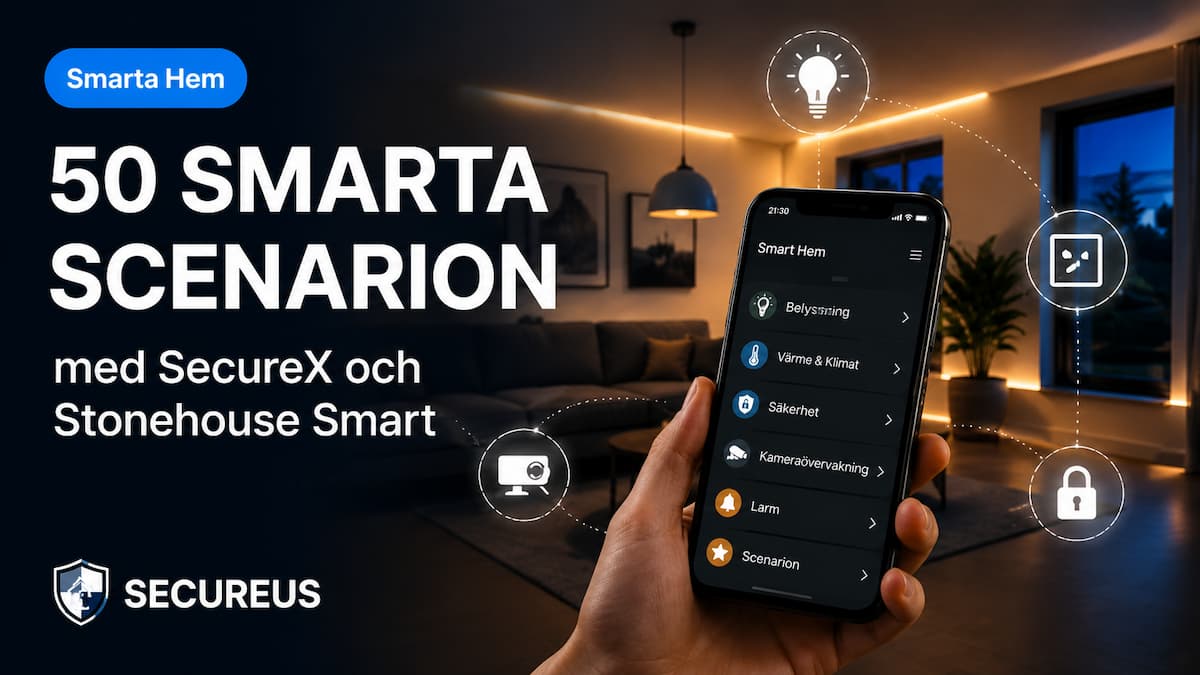
50 smart scenarios to inspire you
All functions require compatible products and proper configuration. The table should therefore be seen as an inspiration. Exact capabilities may vary between products and installations.
| No. | Event | Measure |
|---|---|---|
| 1 | Sunset | Switch on the facade lighting |
| 2 | 45 minutes before sunrise | Turn off the outdoor lighting |
| 3 | Away team | Switch off selected indoor lighting |
| 4 | Away team | Break TV and media player |
| 5 | Away team | Turn off the coffee maker's outlet |
| 6 | Away team | Lower the temperature |
| 7 | Away team | Enable camera monitoring |
| 8 | Away team | Close the main water supply |
| 9 | The alarm is deactivated | Light the hall when it is dark |
| 10 | The alarm is deactivated | Restore normal temperature |
| 11 | The alarm is deactivated | Activate selected smart outlets |
| 12 | Night mode | Activate the shell protection |
| 13 | Night mode | Extinguish the entire lower floor |
| 14 | Night mode | Light a weak night light in the hallway |
| 15 | Door opens | Send push notification |
| 16 | Movement at the entrance | Switch on the facade lighting |
| 17 | Movement at the entrance | Start a compatible camera |
| 18 | Burglar alarm | Activate indoor and outdoor sirens |
| 19 | Burglar alarm | Switch off selected indoor lighting |
| 20 | Burglar alarm | Let smart lighting blink |
| 21 | Smoke detected | Activate the fire alarm and sirens |
| 22 | Smoke detected | Turn off the emergency exit |
| 23 | Smoke detected | Send notifications to the family |
| 24 | Water is discovered | Send an immediate warning |
| 25 | Water is discovered | Close the main water supply |
| 26 | Water is discovered | Switch on the lighting at the location |
| 27 | Garage door opens | Switch on the garage lights |
| 28 | The garage door stays open for a long time | Send a reminder |
| 29 | No movement in the garage | Turn off after ten minutes |
| 30 | Weekdays 06:30 | Start the morning lighting |
| 31 | Weekdays 06:30 | Raise the temperature |
| 32 | Weekends 08:30 | Start a later morning routine |
| 33 | Movie night | Dim's living room |
| 34 | Movie night | Turn off the kitchen lights |
| 35 | Movie night | Close compatible curtains |
| 36 | Dinner | Light the dining area and dim other lights |
| 37 | Good night | Disconnect selected chargers and devices |
| 38 | High humidity | Start compatible ventilation |
| 39 | Low temperature | Send frost warning |
| 40 | Vacation mode | Variate the lighting throughout the evening |
| 41 | Vacation mode | Keep a lower base temperature |
| 42 | Vacation mode | Activate additional camera monitoring |
| 43 | Christmas period | Light the Christmas lights after sunset |
| 44 | Christmas period 23:30 | Turn off the Christmas lights |
| 45 | The front door opens in the evening | Light the entrance and hallway |
| 46 | The temperature is rising rapidly | Send a warning to the mobile phone |
| 47 | Dog alone at home | Maintain adjusted temperature and lighting |
| 48 | Low temperature in the holiday home | Send a warning and activate compatible backup heating |
| 49 | Manual panic button | Activate selected alarm actions |
| 50 | Own scenario | Combine products according to your daily routine |
How to build a smart home step by step
Step 1: Start with safety
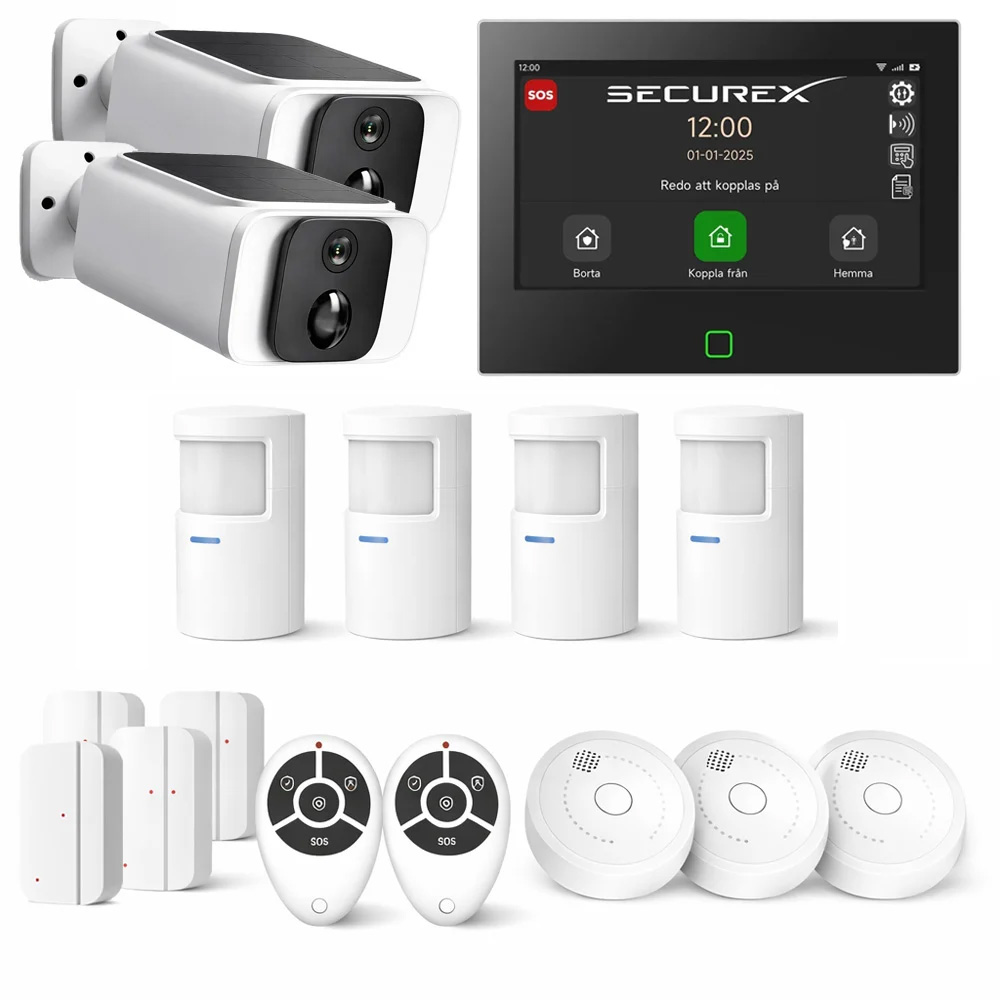
Choose a SecureX Connect Pro alarm package that suits your home.
Place door sensors, motion detectors, sirens, and fire detectors according to a well-thought-out safety plan.
Step 2: Automate things you do every day
Add a smart plug to a suitable device or a smart power switch for the lighting.
Create simple scenarios for Away Mode, Home Mode and Night Mode.
Step 3: Add climate and environmental sensors
Complete with thermostats and sensors for temperature, humidity, and other needs.
Step 4: Protect the home from water
Place water alarms at vulnerable locations, for example:
- under the sink
- by the dishwasher
- by the washing machine
- next to the hot water heater
- in a refrigerator or freezer with a water connection
- in the basement or technical room
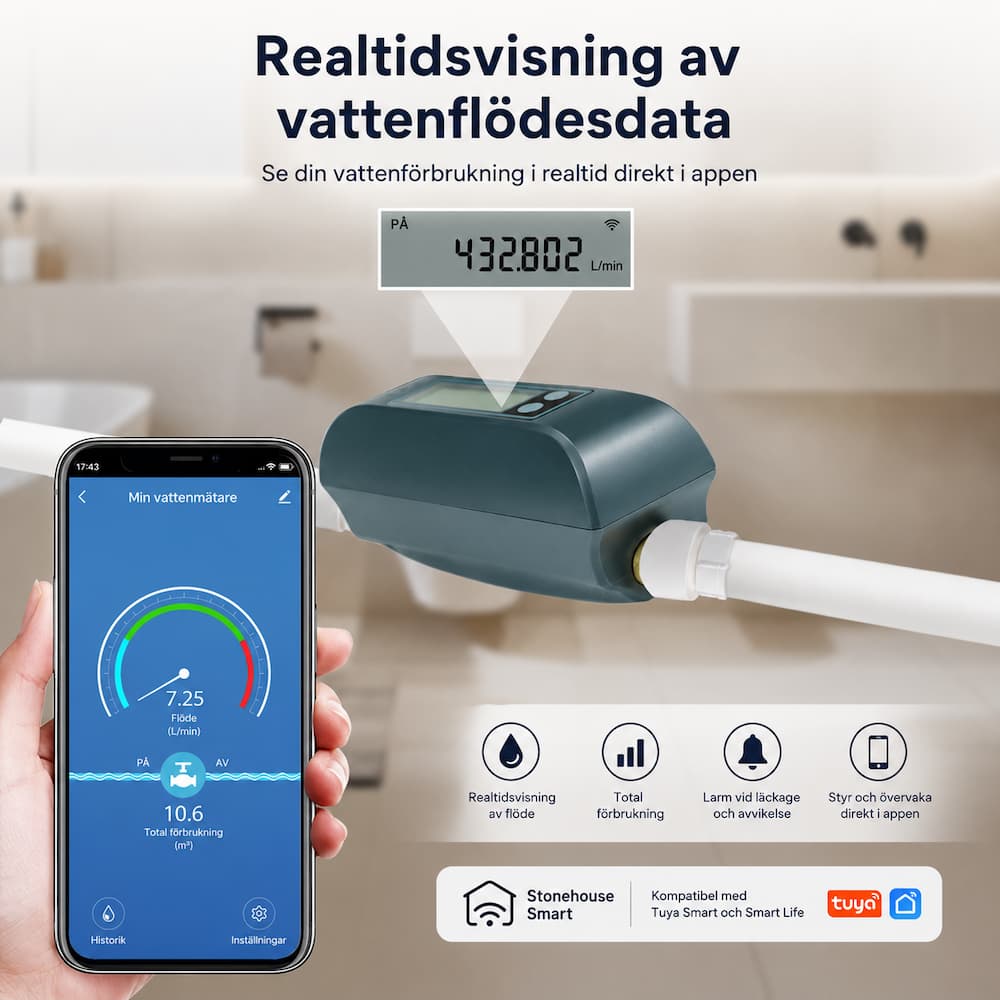
Complete with Stonehouse Smart WiFi Water Tap Pro to automatically shut off the main water when a compatible sensor detects water.
Step 5: Fine-tune without complicating things
Evaluate which scenarios actually help.
Remove automation that creates unnecessary notifications or unexpected behaviors.
A good smart home should feel calm, clear, and predictable.
Best advice: First automate things you do almost every day in the same way. This often yields greater benefits than advanced special scenarios that are rarely used.
Common questions about SecureX and smart scenarios
Do I need to be able to program?
No. Scenarios are created by selecting events, conditions, and actions in the app. You don't need to write any code.
Can I create my own scenarios?
Yes. You can create automation that is tailored to your home, the times, and the compatible products you use.
Will SecureX work if the internet goes down?
SecureX's basic local alarm functions can continue to function without internet access. Remote control, cloud functions, and push notifications normally require a working internet connection.
Can the alarm control smart lighting?
SecureX can be combined with compatible smart products in Stonehouse Smart. The exact features depend on the products and the events that can be used in the automation.
Can I use WiFi and Zigbee products at the same time?
Yes. In many installations both are used.
WiFi is often used for cameras, wired relays, and smart outlets. Zigbee is often used for sensors, thermostats, and other low-power devices.
Zigbee products require a compatible gateway.
Which is better, WiFi or Zigbee?
There is no alternative that is always the best.
The choice depends on the product type, range, power supply, network, and how the installation is to be expanded.
Can I expand the system later?
Yes. SecureX is modular and suitable for gradual expansion with more alarm units and compatible smart products.
Can the system shut off the main water supply?
Yes. With a compatible water leak sensor and the Stonehouse Smart WiFi Water Valve Pro, the main water supply can be shut off automatically when water is detected.
Installation on the main water line must be carried out in accordance with the applicable regulations.
Where should water leakage sensors be placed?
Common locations are under the sink, near the dishwasher and washing machine, hot water heater, refrigerator and freezer with water connection, and other places where a hidden leak could occur.
Can I use scenarios in a holiday home?
Yes. Temperature, leaks, doors, motion detection, cameras, and lighting are common features in holiday homes.
Always check the internet connection, power supply and mobile coverage.
Can smart outlets be used for all appliances?
No. Always check the maximum load of the outlet, the power of the appliance, and the manufacturer's instructions.
However, electrical installations must be carried out by a qualified electrician when the regulations require it.
Can I control the system with Google Home?
Some products compatible with Stonehouse Smart can be used with Google Home. The available commands and features depend on the respective product.
How do I avoid too many notifications?
Start with the most important events.
Use time conditions and avoid notifications for routine events that do not require your attention.
Is a smart home difficult to install?
Many products are easy to add to the app.
Electrical installations, the installation of water valves, and advanced safety planning may require a qualified professional.
Always follow the product's instructions.
Can several people use the system?
Yes. The system and the app can be used by multiple authorized users.
The allowances should be adjusted to the needs of the household.
How many scenarios do I need?
There is no ideal number.
Three well-thought-out scenarios can be more useful than thirty scenarios that are difficult to understand and maintain.
A home that has already thought things through
The best thing about a smart home is rarely the individual product.
It is the interplay between the products.
The alarm knows when the house is empty. The lighting follows the darkness. The heat is adjusted according to your daily routine. Sensors react to things you might not be able to detect in time. Cameras, sirens, outlets, relays, and water shutoff can help when something happens.
The technology works in the background.
You notice it primarily by making everyday life easier and the home feeling safer.
That is the idea behind SecureX and Stonehouse Smart: a system that can start with a security package and then grow as the home, the family and the needs change.
Ready to take the first step?
Explore SecureX and the smart products that can help you build a safer, more comfortable, and more automated home.
- Explore SecureX
- See SecureX Connect Pro Villa
- Discover smart plugs and relay modules
- See WiFi power switch
- Explore Zigbee sensors
- Read more about water alarms and smart water shut-off
The Stonehouse Smart app and our products within SecureX, SecureVision and Stonehouse Smart are carefully tested by us to create a stable, secure and user-friendly overall solution.
Our goal is to make your home both safer and easier to manage.
Note: Features and compatibility may vary between products and installations. Always check the product information before purchase. Fixed electrical installations and work on the main water supply should be carried out in accordance with applicable regulations by a qualified professional when required.