Which app is used with the SecureX Connect Pro Start Package?
SecureX Connect Pro använder Stonehouse Smart-appen och är även kompatibelt med Tuya Smart och Smart Life. Vi rekommenderar Stonehouse Smart-appen för SecureX-systemet. Stonehouse Smart finns för både iPhone och Android i App Store och Google Play. Sök bara efter "Stonehouse Smart" för att ladda ner appen.
What is the SecureX Connect Pro Starter Pack?
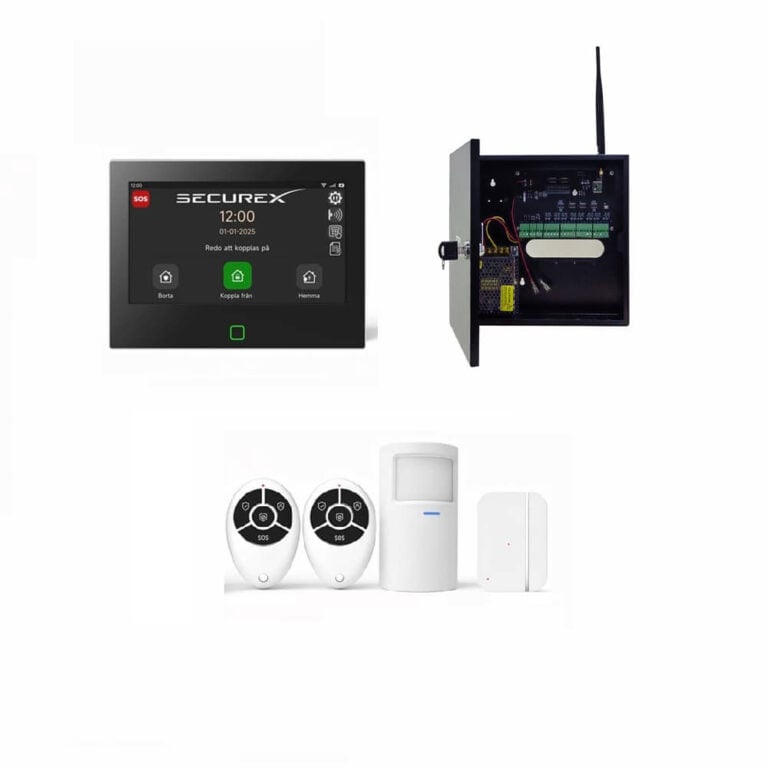
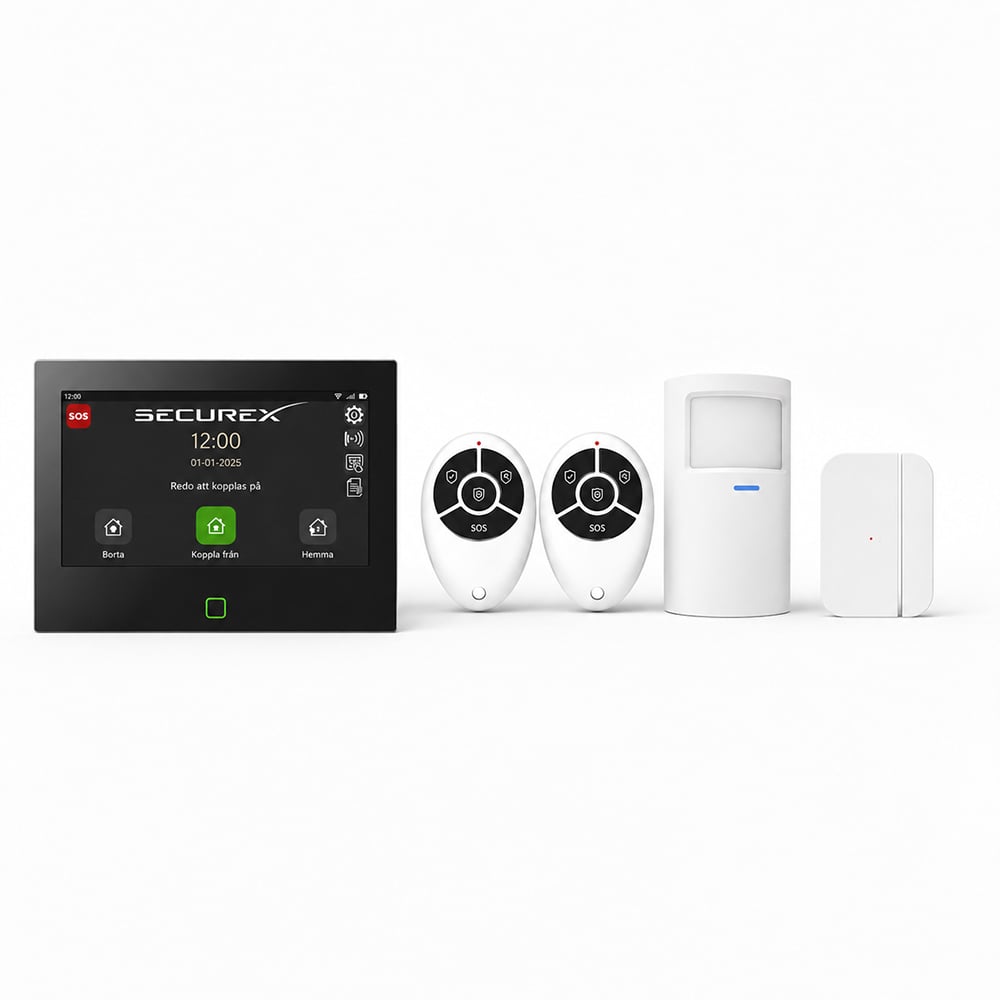
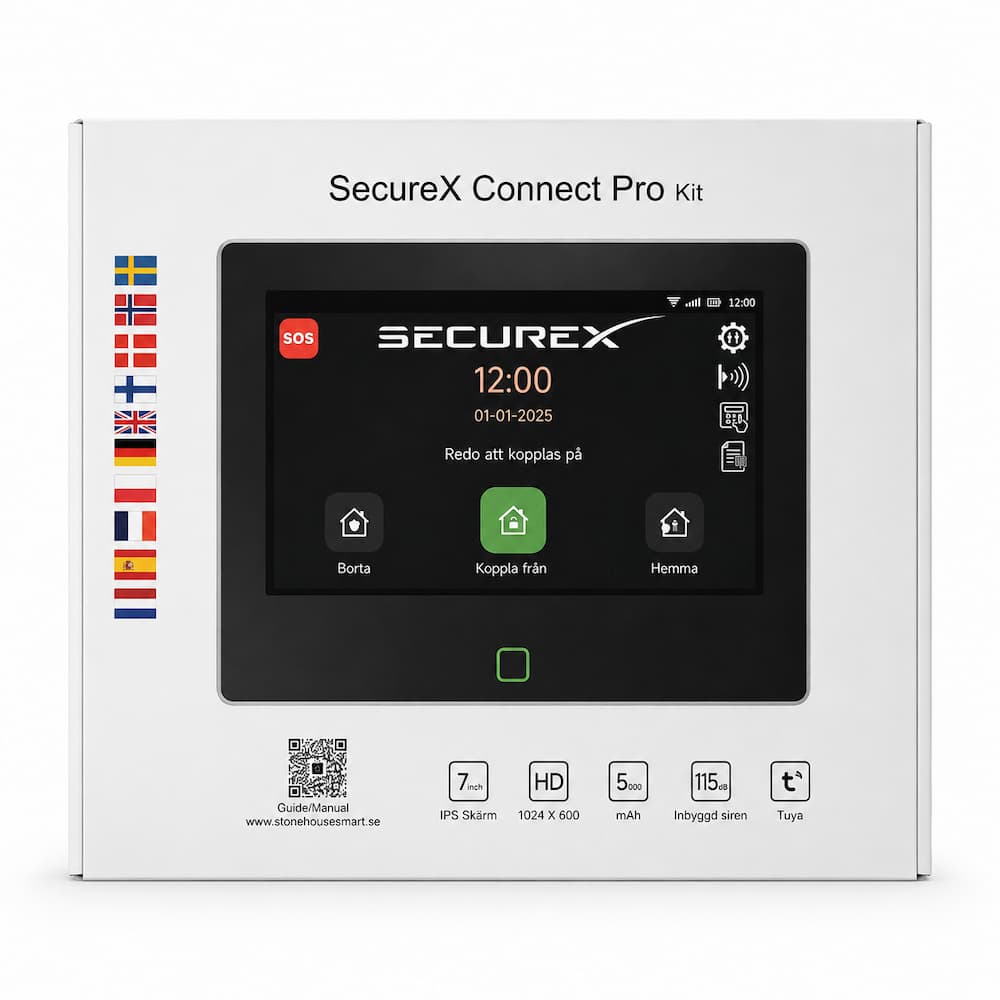
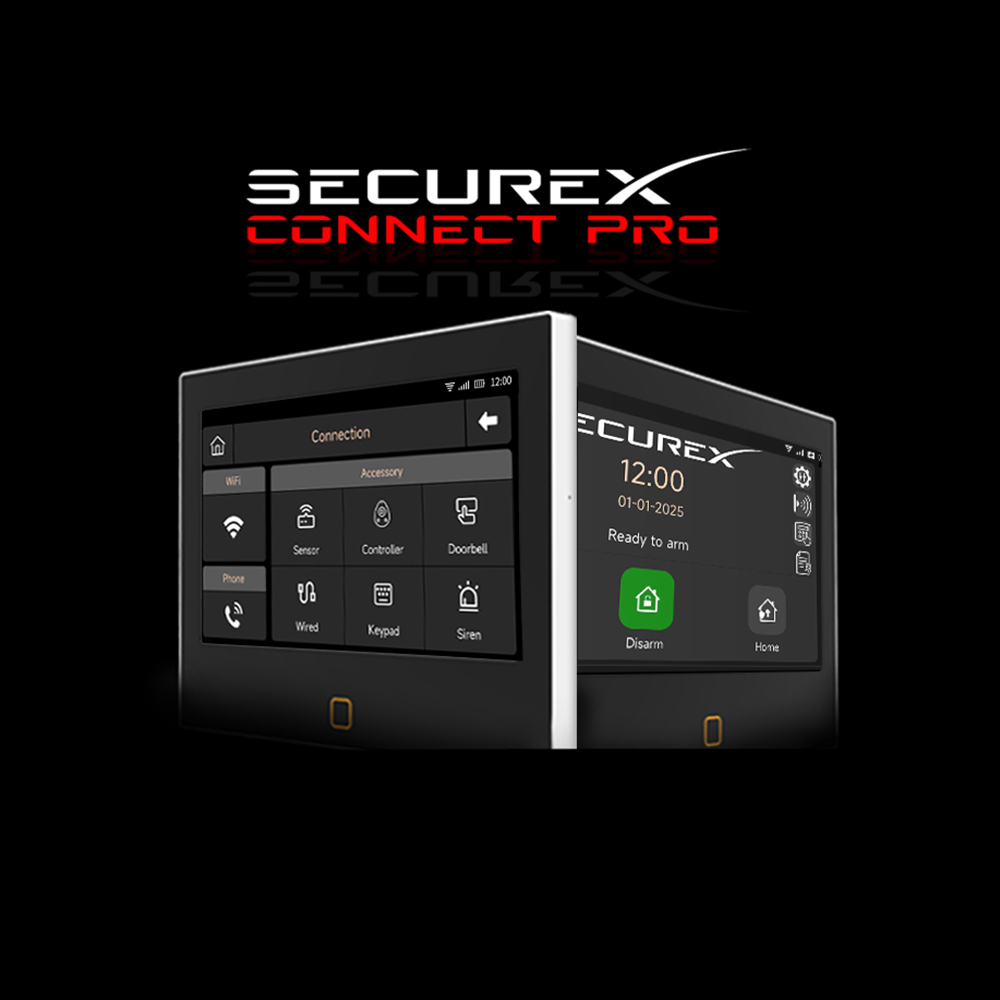
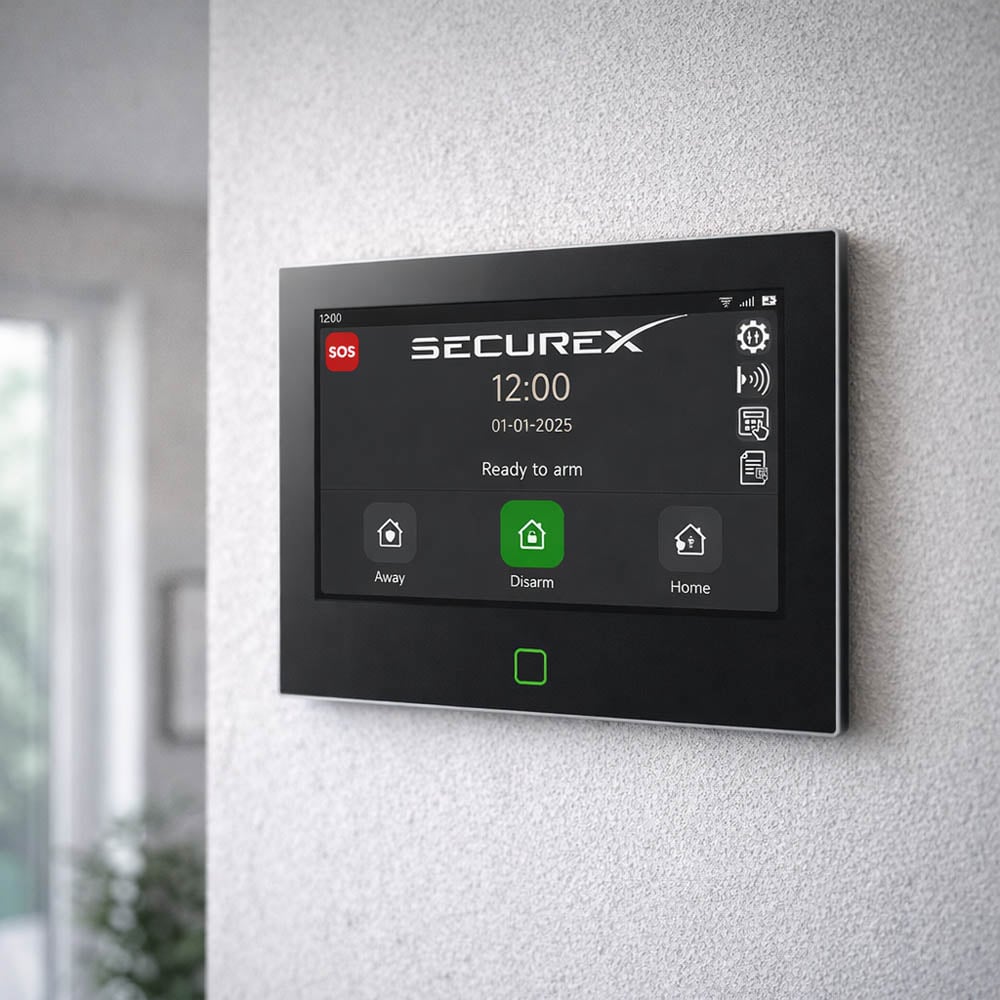
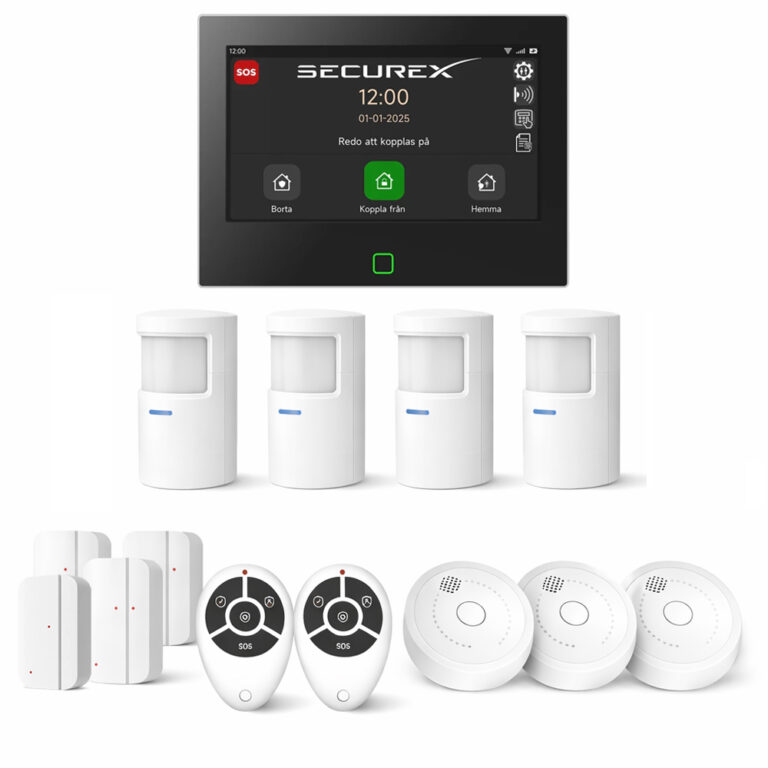
The SecureX Connect Pro Starter Kit is a complete basic package to get started with the SecureX alarm system. The kit includes the SecureX Connect Pro with a 7-inch touchscreen, two QuickControl remote controls, one MotionEye Pro motion sensor and one DoorSense Pro door and window sensor.
What is the article number for the starter pack?
The part number is SXS-CONNECTPRO-SE-KIT.
What is included in the SecureX Connect Pro Starter Pack?
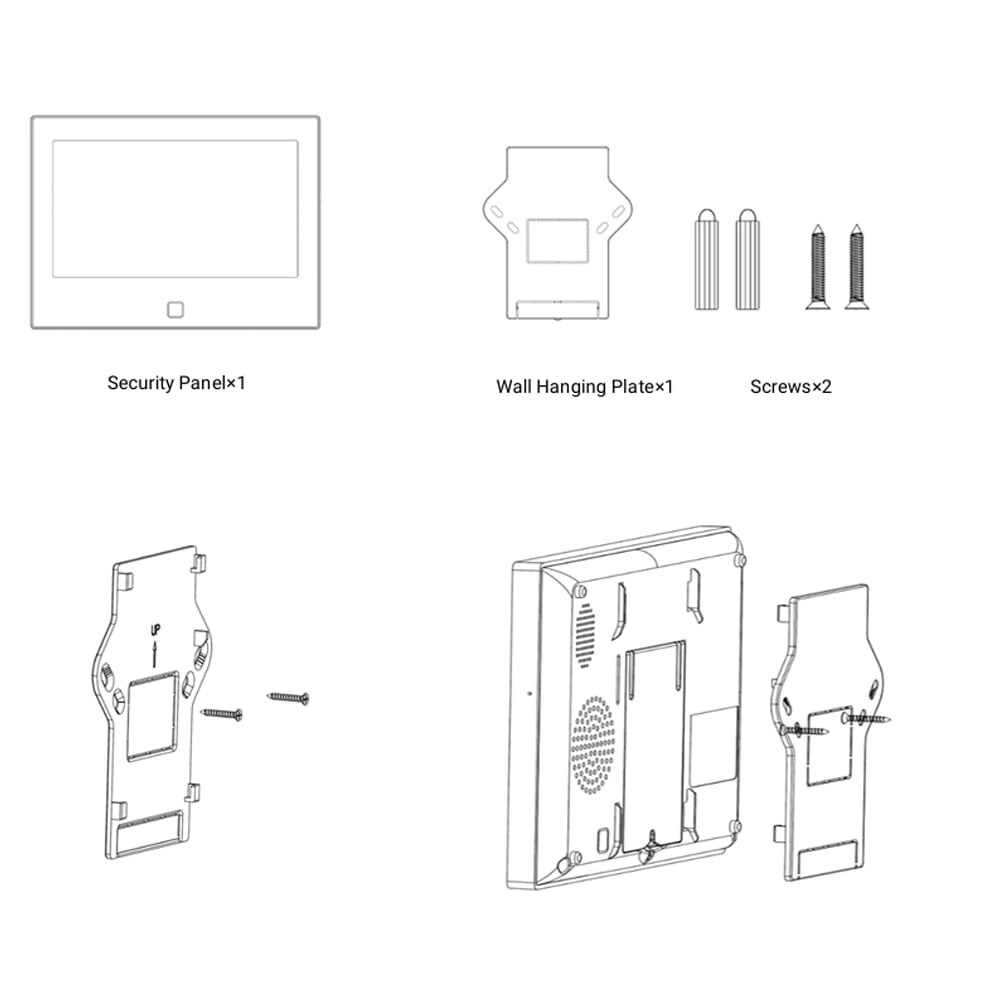
The package contains 1 SecureX Connect Pro panel with a 7-inch touchscreen, 2 SecureX QuickControl remote controls, 1 SecureX MotionEye Pro PIR motion sensor, 1 SecureX DoorSense Pro magnetic contact, as well as a panel bracket, screws and plugs for mounting.
Is the motion sensor included in the starter pack?
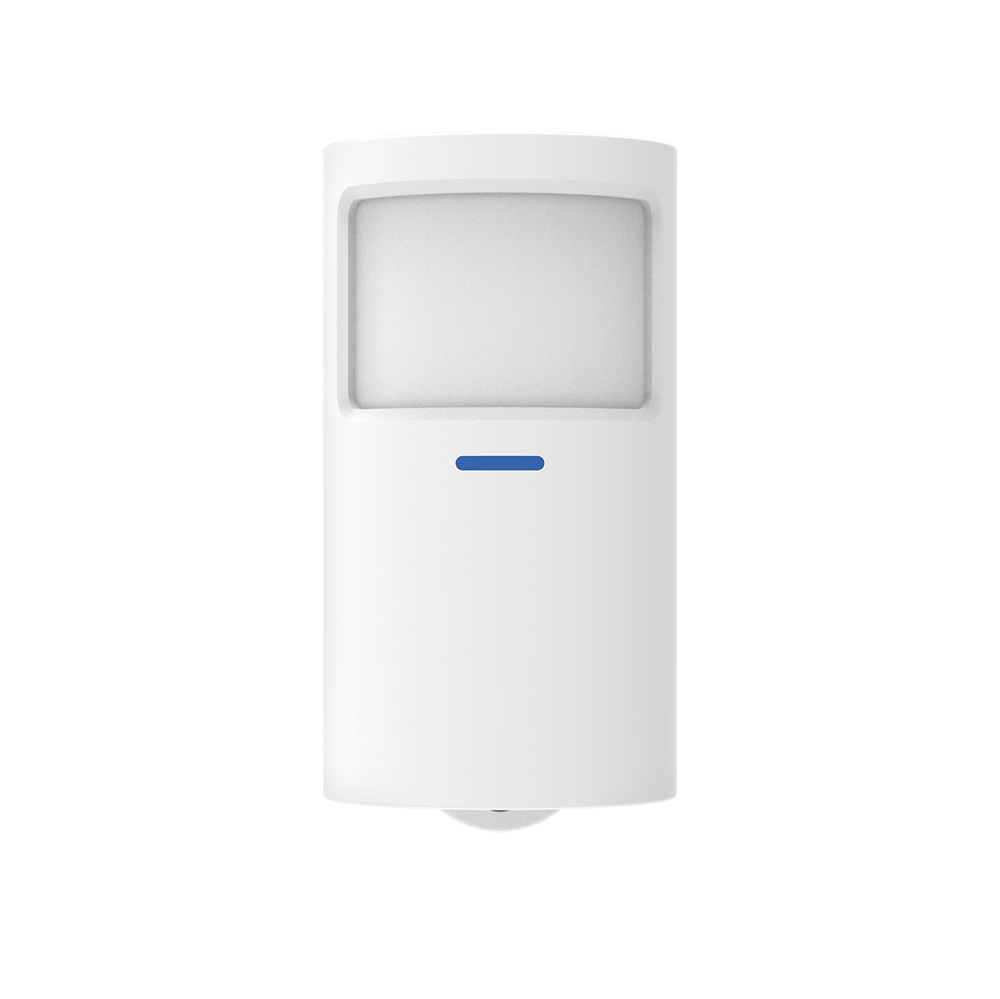
Yes. A SecureX MotionEye Pro PIR motion sensor is included.
Does the door and window sensor come included?
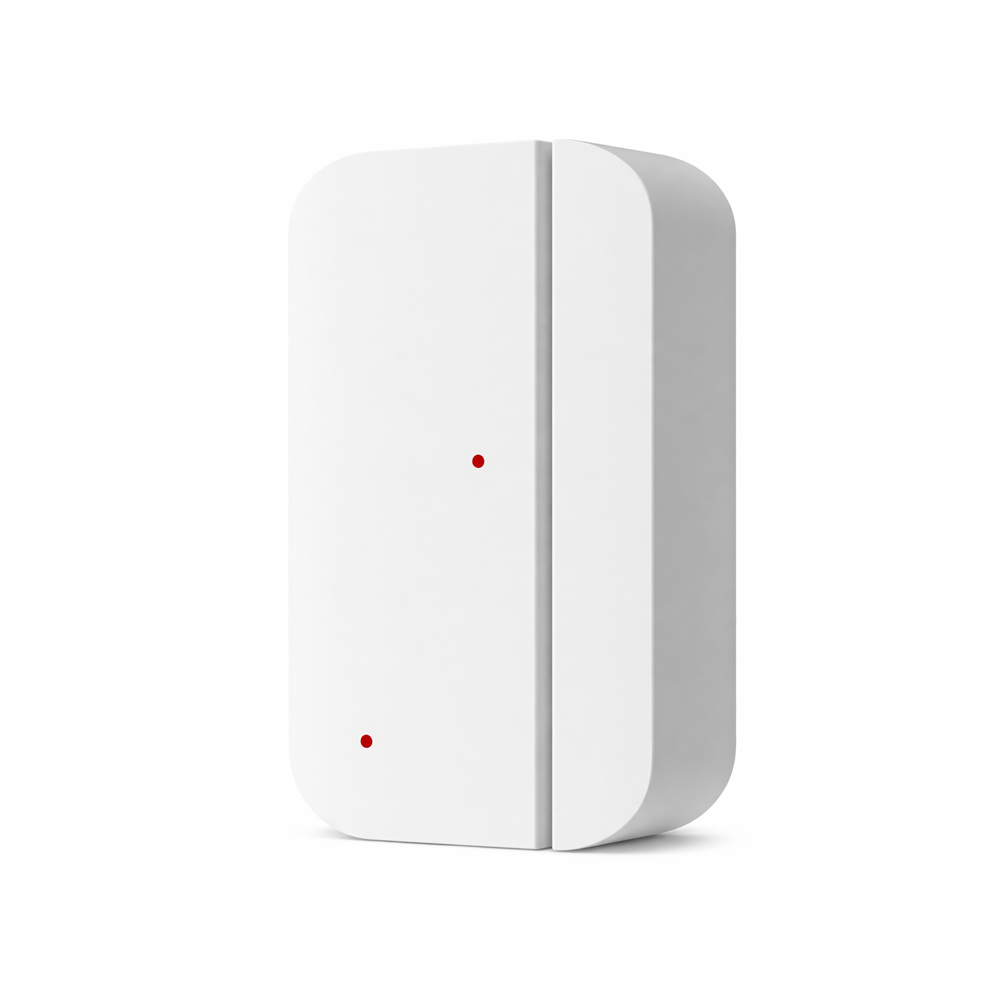
Yes. A SecureX DoorSense Pro magnetic contact for door or window is included.
Are remote controls included?
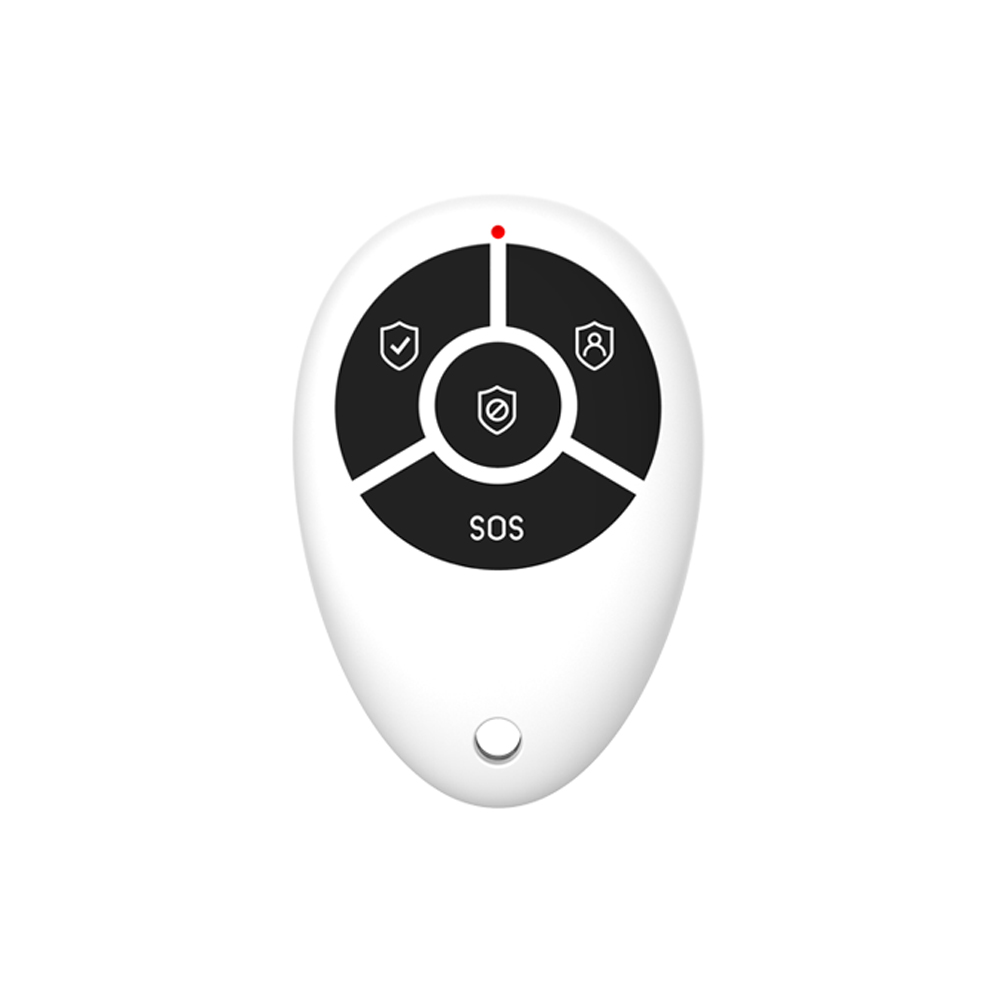
Yes. Two SecureX QuickControl remotes are included in the starter kit.
What can the QuickControl remote controls be used for?
SecureX QuickControl is used for quick alarm control and has features for alarm notification, home mode, alarm notification and SOS.
Are mounting materials included?
Yes. Panel mounting hardware, screws and plugs for mounting the SecureX Connect Pro panel are included.
Is this a complete alarm system to get started with?
Yes. The starter kit includes the central unit as well as basic sensors and remotes so you can get started right away. The system can then be expanded with more SecureX products.
Does SecureX Connect Pro have a Swedish menu?
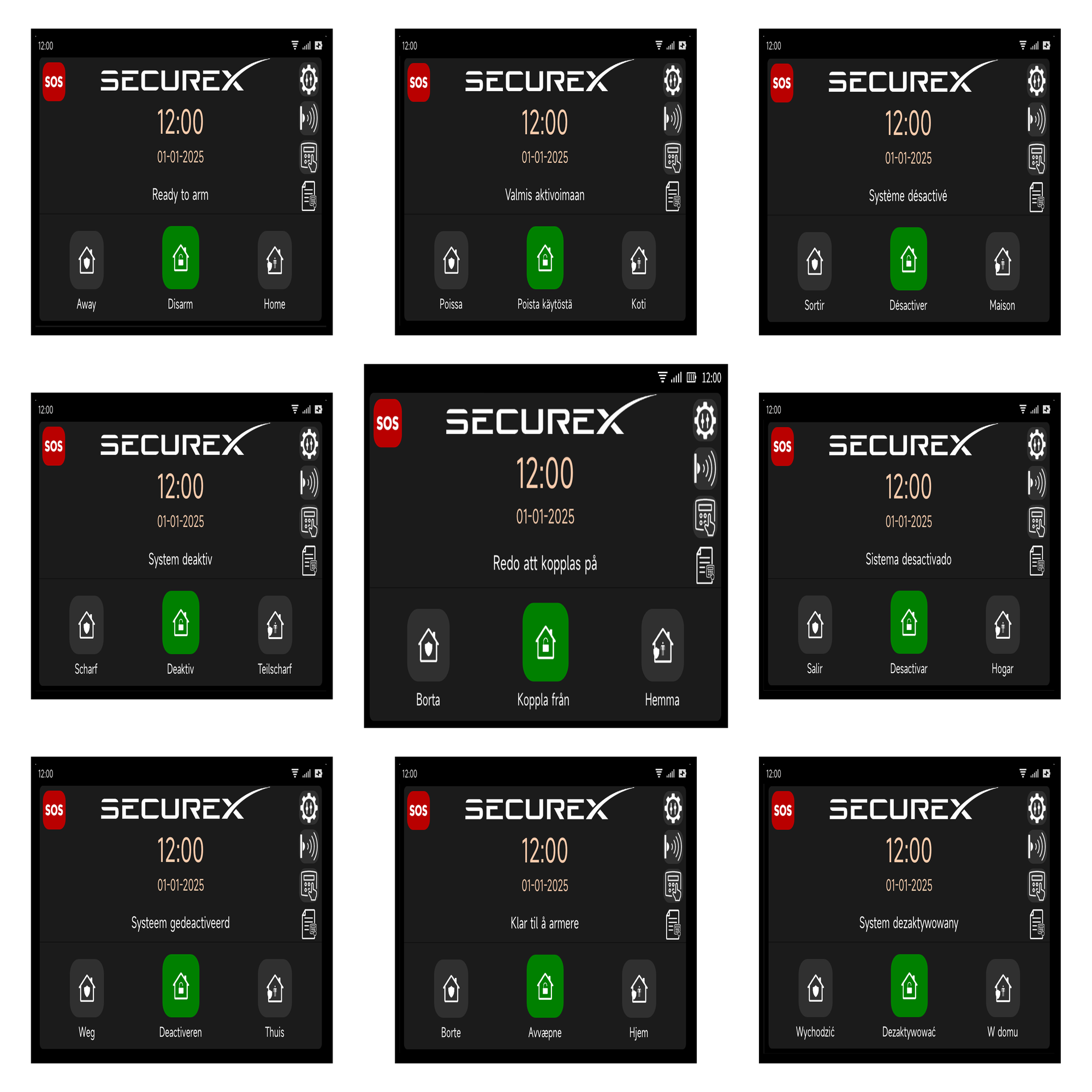
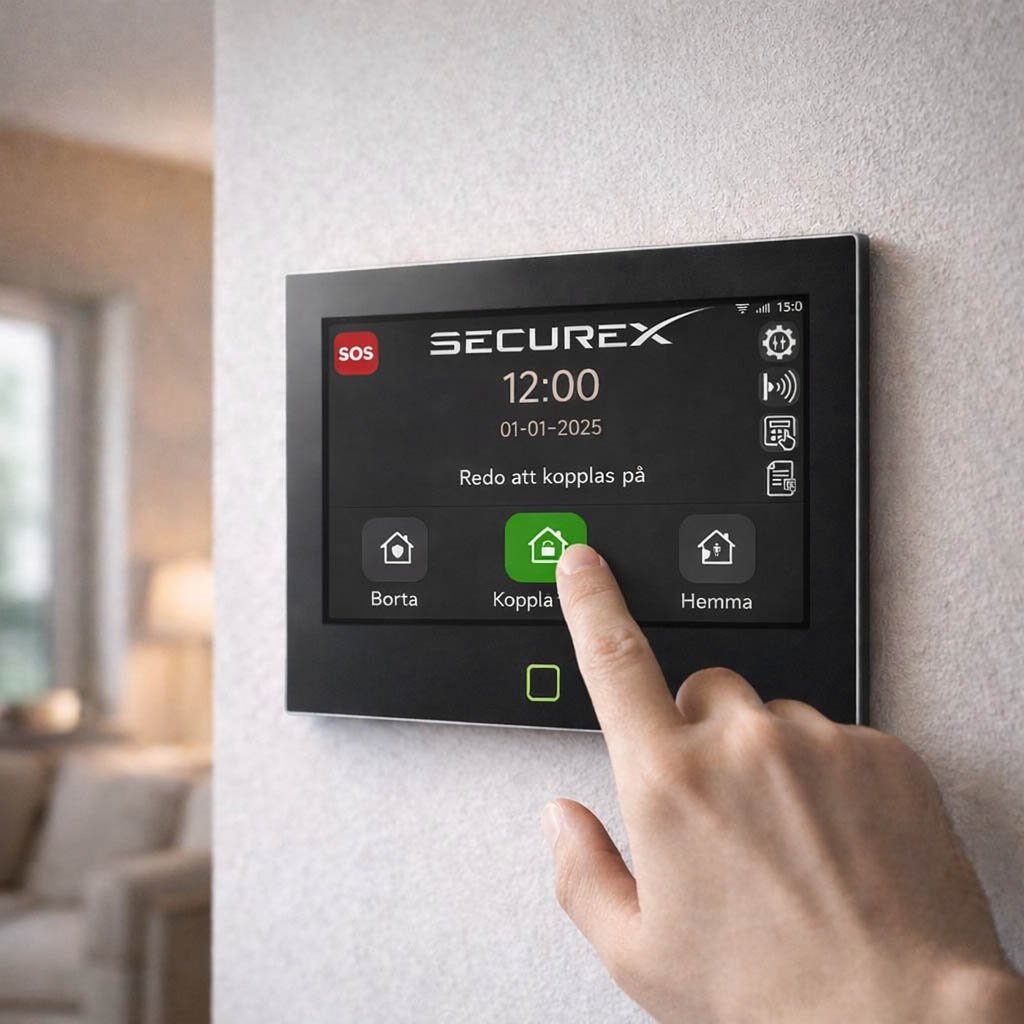
Yes. This version supports Swedish menus and Swedish voice information.
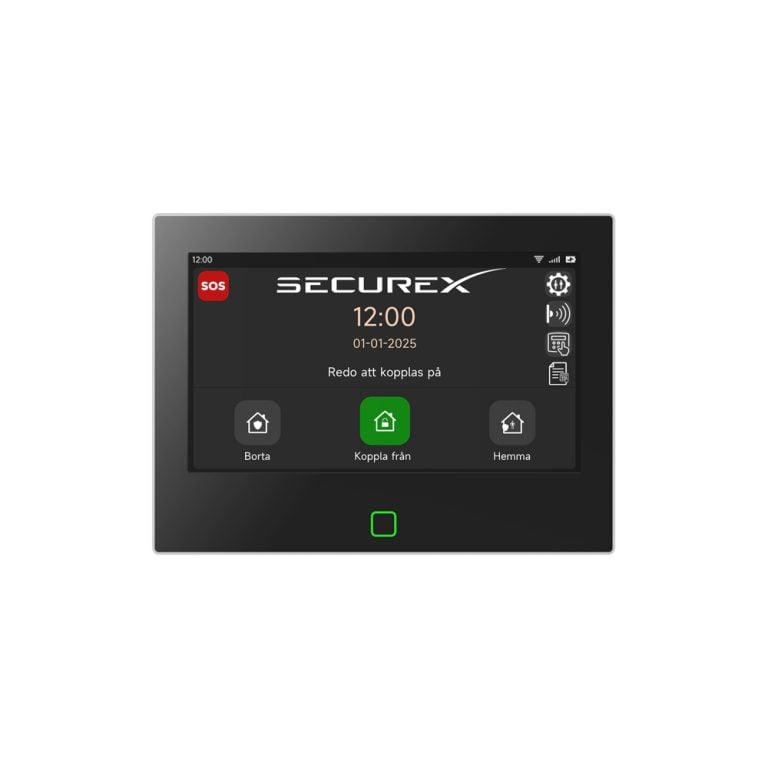
How large is the touchscreen?
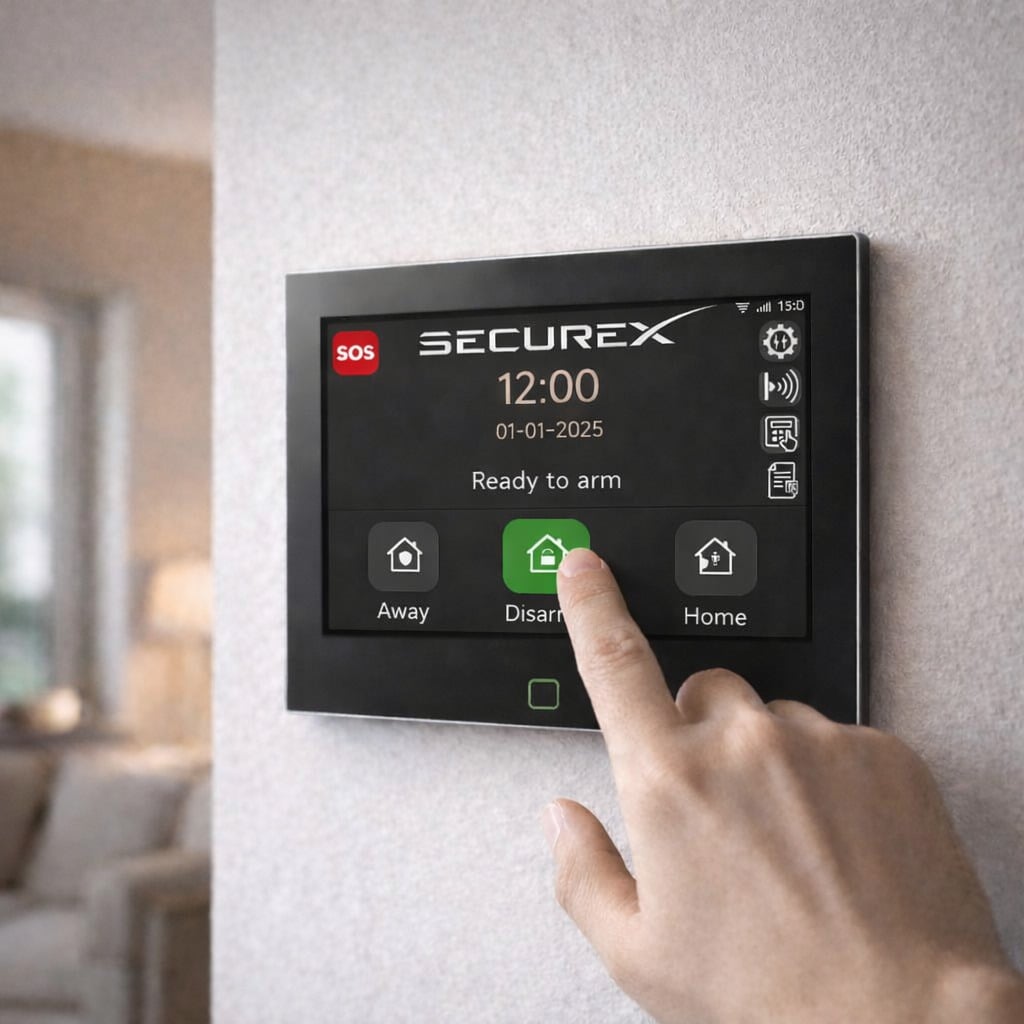
SecureX Connect Pro has a 7-inch IPS touchscreen display.
What resolution does the screen have?
The touchscreen has a resolution of 1024 x 600 pixels.
Can I control the alarm directly from the screen?
Yes. SecureX Connect Pro can be controlled directly from the large touchscreen without the need to use your mobile phone.
Can I also control the alarm from my mobile phone?
Yes. With the Stonehouse Smart app, you can remotely control the SecureX system and receive events and notifications when the hub has an internet connection.
Can I turn the alarm on and off without using the mobile phone?
Yes. You can control the system directly from the touchscreen or with the two included SecureX QuickControl remote controls.
Can I receive push notifications for alarms?
Yes. When SecureX Connect Pro is connected to the internet, alarms and other events can be sent as push notifications in the Stonehouse Smart app.
Does SecureX Connect Pro have WiFi?
Yes. SecureX Connect Pro has WiFi for internet connection and communication with the Stonehouse Smart app.
Does SecureX Connect Pro support 4G?
Yes. The central unit supports both 2G and 4G with a compatible SIM card.
Do I have to use a SIM card?
No. SecureX Connect Pro can be used over WiFi without a SIM card. A SIM card is required if you want to use mobile network features such as SMS and voice calls.
Can the alarm send SMS?
Yes. With a compatible and active SIM card, SecureX Connect Pro can send SMS messages during an alarm.
Can SecureX Connect Pro call out in case of an alarm?
Yes. With a compatible SIM card, the system can use the mobile network for voice messages and call functions.
Can I hear which section has called the alarm?
Yes. SecureX Connect Pro supports voice information that can indicate which section or zone has been activated.
Does SecureX Connect Pro have two-way communication?
Yes. The central unit has a built-in microphone and support for two-way communication via compatible mobile network functions.
Can I listen to what is happening in the property?
Ja. När kompatibel mobilnätskommunikation är konfigurerad kan SecureX Connect Pro användas för tvåvägskommunikation och lyssningsfunktioner.
Hur många trådlösa enheter kan jag ansluta?
SecureX Connect Pro supports up to 200 wireless devices.
Kan jag bygga ut startpaketet senare?
Ja. SecureX är ett modulärt system. Du kan lägga till fler dörrsensorer, rörelsesensorer, branddetektorer, vattendetektorer, sirener, knappsatser, SOS-enheter och andra kompatibla SecureX-tillbehör.
Kan jag lägga till fler MotionEye Pro?
Ja. Du kan komplettera startpaketet med fler SecureX MotionEye Pro för att övervaka fler rum och områden.
Kan jag lägga till fler DoorSense Pro?
Ja. Du kan lägga till fler SecureX DoorSense Pro på ytterdörrar, fönster, altandörrar och andra öppningar.
Kan jag lägga till branddetektorer?
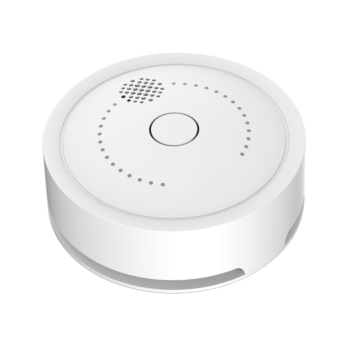
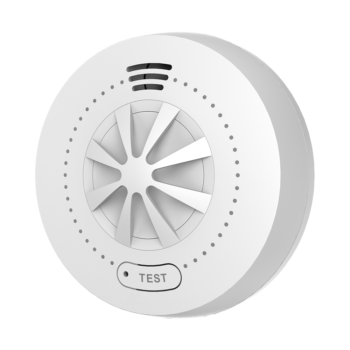
Yes. The SecureX system can be expanded with compatible fire detectors such as SecureX SmokeGuard and HeatSense.
Kan jag lägga till vattendetektorer?
Ja. SecureX AquaGuard kan anslutas till systemet för detektering av vattenläckage.
Kan jag lägga till utomhussiren?
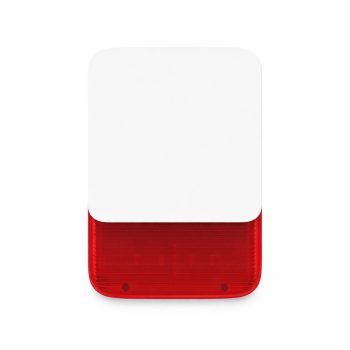
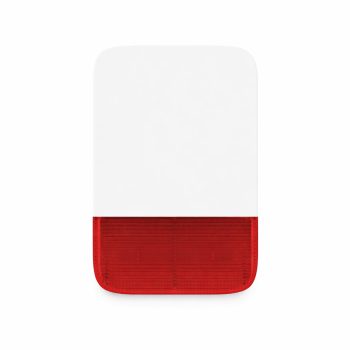
Ja. SecureX SirenGuard Pro kan användas som trådlös utomhussiren med blixtljus och ställbar ljudnivå upp till 120 dB.
Kan jag lägga till en extra inomhussiren?
Ja. SecureX SirenGuard kan användas som extra trådlös inomhussiren.
Kan jag lägga till knappsats?
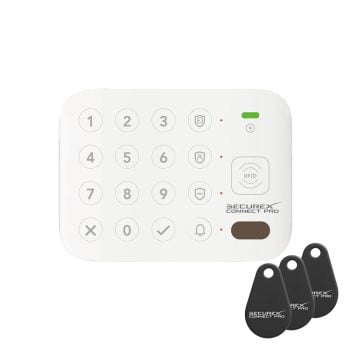
Ja. SecureX KeyAccess kan användas som extra knappsats för larmstyrning med kod eller RFID-tagg.
Kan jag använda SecureX SafeBand med startpaketet?
Ja. SecureX SafeBand kan anslutas som bärbar SOS-knapp till SecureX-systemet.
Kan jag använda SecureX VibraSense?
Ja. SecureX VibraSense kan läggas till för att registrera vibrationer, slag, borrning och andra manipulationsförsök.
Har panelen en inbyggd siren?
Ja. SecureX Connect Pro har en inbyggd siren med ljudnivå upp till cirka 120 dB.
Har panelen sabotageskydd?
Ja. SecureX Connect Pro har inbyggd sabotagefunktion.
Har panelen backupbatteri?
Ja. SecureX Connect Pro har ett inbyggt backupbatteri på 5000 mAh.
Fungerar larmet vid strömavbrott?
Ja. Det inbyggda backupbatteriet gör att SecureX Connect Pro kan fortsätta fungera under ett strömavbrott under en begränsad tid.
Fungerar larmet om internet ligger nere?
Ja. De lokala larmfunktionerna och kommunikationen mellan SecureX-sensorerna och hubben är inte beroende av internet. Internet behövs för pushnotiser, fjärrstyrning och andra internetbaserade appfunktioner.
Fungerar sensorerna om hemmets WiFi ligger nere?
Ja. SecureX-sensorerna kommunicerar med SecureX Connect Pro via systemets egna radiofrekvenser och inte direkt via hemmets WiFi.
Vilka radiofrekvenser använder SecureX Connect Pro?
SecureX Connect Pro har stöd för 433 MHz med EV1527 samt 868 MHz SecureX Long Range-kommunikation.
Vad är SecureX Long Range?
SecureX Long Range är systemets långräckviddiga radiokommunikation på 868 MHz för kompatibla SecureX-enheter.
Hur lång räckvidd har SecureX Long Range?
Kompatibla SecureX Long Range-enheter kan ha en angiven räckvidd på upp till cirka 500 meter vid fri sikt.
Is the range always 500 meters indoors?
No. Up to approximately 500 meters is considered clear visibility. Walls, reinforced concrete, metal and other obstacles can reduce the actual range indoors.
Kan jag förbättra räckvidden i en stor fastighet?
Ja. SecureX SignalMax är en repeater som kan användas när kompatibel SecureX-radiokommunikation behöver förbättras i större eller mer krävande installationer.
Hur lång räckvidd har MotionEye Pro som ingår?
SecureX MotionEye Pro använder SecureX Long Range och har en angiven radiokommunikation på upp till cirka 500 meter vid fri sikt.
Hur långt ser MotionEye Pro rörelse?
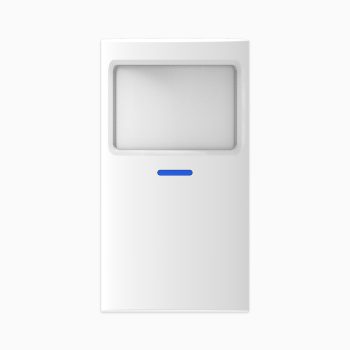
Den medföljande MotionEye Pro har ett detektionsområde på upp till cirka 7 meter och en detekteringsvinkel på cirka 110 grader.
Hur lång räckvidd har DoorSense Pro som ingår?
SecureX DoorSense Pro använder SecureX Long Range och har en angiven radiokommunikation på upp till cirka 500 meter vid fri sikt.
Vad gör DoorSense Pro?
DoorSense Pro är en trådlös magnetkontakt som registrerar när en dörr eller ett fönster öppnas och skickar händelsen till SecureX Connect Pro.
Vad gör MotionEye Pro?
MotionEye Pro är en PIR-rörelsesensor som upptäcker rörelse genom förändringar i värmestrålning och skickar händelsen till SecureX Connect Pro.
Kan jag kombinera trådlösa och trådbundna sensorer?
Ja. SecureX Connect Pro är ett hybridsystem med stöd för både trådlösa enheter och trådbundna larmzoner.
Hur många trådbundna zoner har SecureX Connect Pro?
SecureX Connect Pro har stöd för upp till 8 trådbundna zoner direkt.
Kan jag ansluta ett gammalt trådbundet larmsystem?
Ja. För större befintliga kabelinstallationer kan SecureX LinkBridge användas för att ansluta upp till 16 kompatibla trådbundna larmzoner till SecureX-systemet.
What is SecureX LinkBridge?
SecureX LinkBridge är en trådlös omvandlare för upp till 16 befintliga trådbundna larmzoner. Den gör det möjligt att återanvända kompatibla magnetkontakter, rörelsedetektorer och andra trådbundna givare i SecureX-systemet.
Behöver jag abonnemang för SecureX Connect Pro?
Nej. SecureX Connect Pro kräver inget obligatoriskt månadsabonnemang. Kostnad för eventuellt SIM-kort och mobiltrafik tillkommer enligt den SIM-lösning eller operatör som används.
Behöver jag betala för Stonehouse Smart-appen?
SecureX Connect Pro har inget obligatoriskt abonnemang för att använda Stonehouse Smart-appen tillsammans med systemet.
Kostar systemuppdateringar extra?
Nej. SecureX Connect Pro har stöd för kostnadsfria OTA-uppdateringar.
Vad betyder OTA-uppdatering?
OTA betyder Over The Air och innebär att systemets programvara kan uppdateras elektroniskt utan att centralenheten behöver lämnas in för en vanlig programvaruuppdatering.
Vilka språk finns i SecureX Connect Pro?
Systemet har stöd för svenska, norska, danska, finska, engelska, tyska, polska, franska, spanska och nederländska, inklusive röstinformation.
Är svenska standard i den här versionen?
Produkten säljs som svensk version med svensk touchskärm och svensk uppstartsguide. Språk kan väljas i systemet.
Är systemet svårt att installera?
Nej. SecureX Connect Pro har en stegvis uppstartsmeny som guidar användaren genom grundinstallationen.
Hur lång tid tar en grundinstallation?
För ett startpaket anges cirka 30 minuter som en typisk tid för en enkel grundinstallation. Större installationer med många sensorer eller kabeldragning tar naturligtvis längre tid.
Måste sensorerna kabelanslutas?
Nej. MotionEye Pro och DoorSense Pro som ingår i paketet är trådlösa och kommunicerar direkt med SecureX Connect Pro.
Behöver MotionEye Pro anslutas till WiFi?
Nej. MotionEye Pro använder SecureX Long Range-kommunikation direkt till hubben.
Behöver DoorSense Pro anslutas till WiFi?
Nej. DoorSense Pro använder SecureX Long Range-kommunikation direkt till hubben.
Kan jag använda systemet i en villa?
Ja. Startpaketet är en bra grund för villa och kan byggas ut med fler rörelsesensorer, dörr- och fönstersensorer, branddetektorer, sirener och andra SecureX-produkter.
Kan jag använda systemet i lägenhet?
Ja. Startpaketet passar även bra för lägenheter och kan användas i en mindre konfiguration utan att systemets fulla kapacitet behöver utnyttjas.
Kan SecureX Connect Pro användas i fritidshus?
Ja. Fjärrstyrning, pushnotiser och möjlighet till 4G-anslutning gör systemet lämpligt även för fritidshus.
Kan SecureX Connect Pro användas på företag?
Ja. Systemet passar även för kontor, butiker, lager och mindre eller större verksamheter beroende på hur installationen byggs ut.
Kan flera personer använda Stonehouse Smart-appen?
Ja. Stonehouse Smart-systemet kan delas med behöriga användare så att flera personer kan få tillgång till relevanta funktioner.
Kan jag skapa smarta scenarier?
Ja. Stonehouse Smart-appen har stöd för scenarier och automationer med kompatibla produkter, exempelvis att smart belysning eller andra anslutna enheter reagerar på larmstatus.
Kan andra smarta produkter reagera när larmet går?
Ja. Med kompatibla Stonehouse Smart-produkter kan scenarier skapas där exempelvis belysning eller andra smarta enheter reagerar på larmhändelser.
Kan jag skapa olika funktioner för hemma- och bortaläge?
Ja. SecureX-systemet har stöd för olika larmlägen och Stonehouse Smart kan användas för scenarier där kompatibla smarta produkter reagerar olika beroende på systemets status.
Har SecureX Connect Pro stöd för Google Assistant?
Ja. Produktinformationen anger stöd för Google Assistant via Stonehouse Smart-systemet.
Kan jag använda SecureX tillsammans med Tuya-enheter?
SecureX Connect Pro är kompatibelt med Tuya Smart och Smart Life via hubben. Vi rekommenderar dock Stonehouse Smart-appen för SecureX-systemet.
Kan jag använda SecureX tillsammans med Smart Life?
Ja. SecureX Connect Pro är kompatibelt med Smart Life via hubben. För SecureX rekommenderar vi Stonehouse Smart-appen.
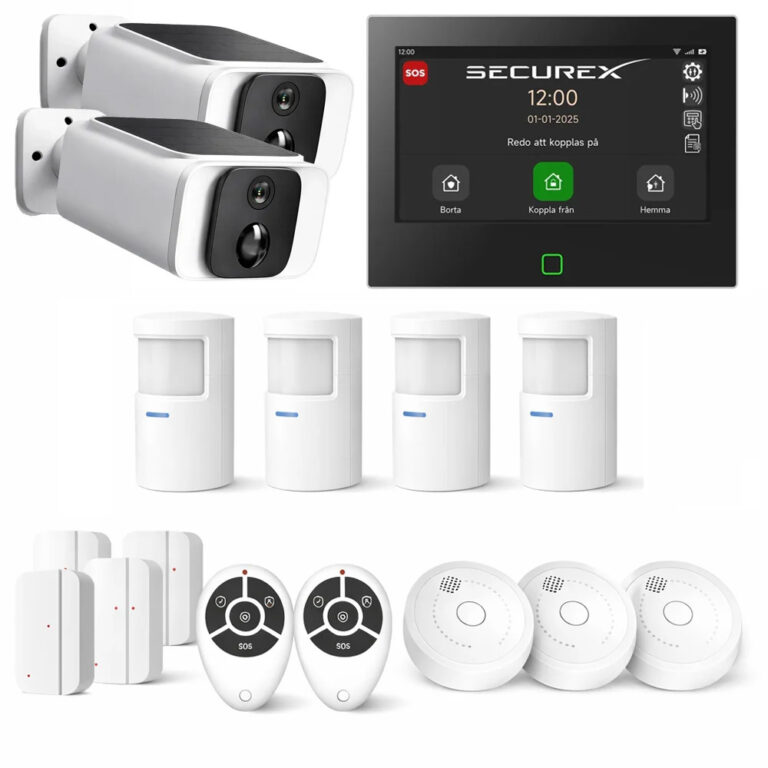
Kan jag använda kameror tillsammans med startpaketet?
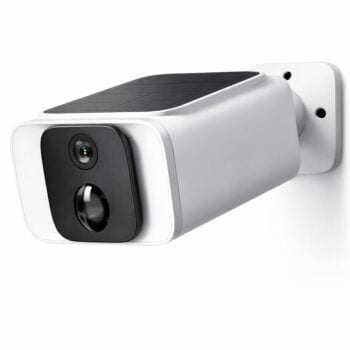
Ja. Kameror kan användas som ett komplement till SecureX-larmsystemet för videoövervakning och kan ingå i den övergripande Stonehouse Smart-lösningen.
Ingår kamera i detta startpaket?
Nej. Det här startpaketet innehåller ingen kamera. Kameror kan köpas till separat eller väljas i ett större SecureX kamera- och larmpaket.
Ingår branddetektor i detta startpaket?
Nej. Branddetektor ingår inte i grundpaketet men SecureX SmokeGuard och HeatSense kan köpas till separat.
Ingår extra siren i startpaketet?
Nej. Centralenheten har en inbyggd siren, men separat SecureX SirenGuard eller SirenGuard Pro köps till om du vill ha ytterligare sirener.
Kan jag börja med startpaketet och köpa till mer senare?
Ja. Det är precis så SecureX-systemet är utvecklat. Starta med grundpaketet och komplettera senare med de sensorer, sirener, knappsatser och andra tillbehör som behövs.
Hur strömförsörjs SecureX Connect Pro?
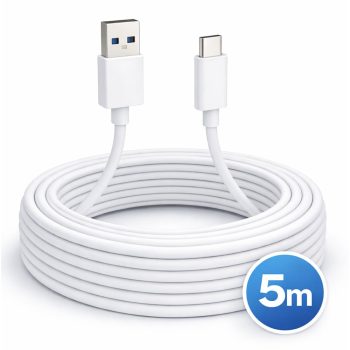
SecureX Connect Pro kan installeras med USB-C eller 12 V-strömförsörjning beroende på installation.
Kan panelen väggmonteras?
Ja. Panelfäste, skruvar och pluggar för väggmontering ingår i startpaketet.
Var bör centralenheten placeras?
Placera SecureX Connect Pro på en central och lättillgänglig plats med god radiokommunikation till sensorerna. Undvik om möjligt stora metallföremål och andra kraftiga hinder direkt omkring panelen.
Vilka certifieringar anges för SecureX Connect Pro?
Produktinformationen anger CE, RoHS, REACH, FCC ID H700, UKCA H700 och ERP.
Hur lång garanti har SecureX Connect Pro Startpaket?
SecureX Connect Pro säljs med 3 års garanti och support.
Vem ger support på SecureX?
Support för SecureX och Stonehouse Smart tillhandahålls av Stonehouse Security AB i Sverige.
Var hittar jag manualer och instruktioner?
Manualer, guider och annan dokumentation för SecureX och Stonehouse Smart finns via Stonehouse Smart på stonehousesmart.se och stonehousesmart.com.
Vem äger Stonehouse Smart-appen?
Stonehouse Smart-appen ägs och drivs av Stonehouse Security i Sverige. Stonehouse Security har kontor och verksamhet i Alingsås.
What is Stonehouse Smart?
Stonehouse Smart är Stonehouse Securitys plattform för smarta hem- och säkerhetslösningar. SecureX Connect Pro är larmsystemet inom Stonehouse Smart och kan kombineras med SecureX-sensorer, sirener och kompatibla smarta hem-produkter i samma appmiljö.
Vad är den största fördelen med SecureX Connect Pro Startpaket?
Du får en komplett grund för ett modernt och utbyggbart larmsystem direkt i ett paket. Centralenheten har 7-tums svensk touchskärm, WiFi, 2G/4G, inbyggd siren, 5000 mAh backupbatteri och stöd för upp till 200 trådlösa enheter. Dessutom ingår två QuickControl-fjärrkontroller, en MotionEye Pro och en DoorSense Pro så att du kan komma igång direkt och bygga ut systemet efter behov.




 Svenska
  Dansk
Dansk
 Norsk bokmål
 English (UK)
 Suomi
Suomi
 Nederlands (Formeel)
 Polski
 Français
 Deutsch (Sie)
 Español